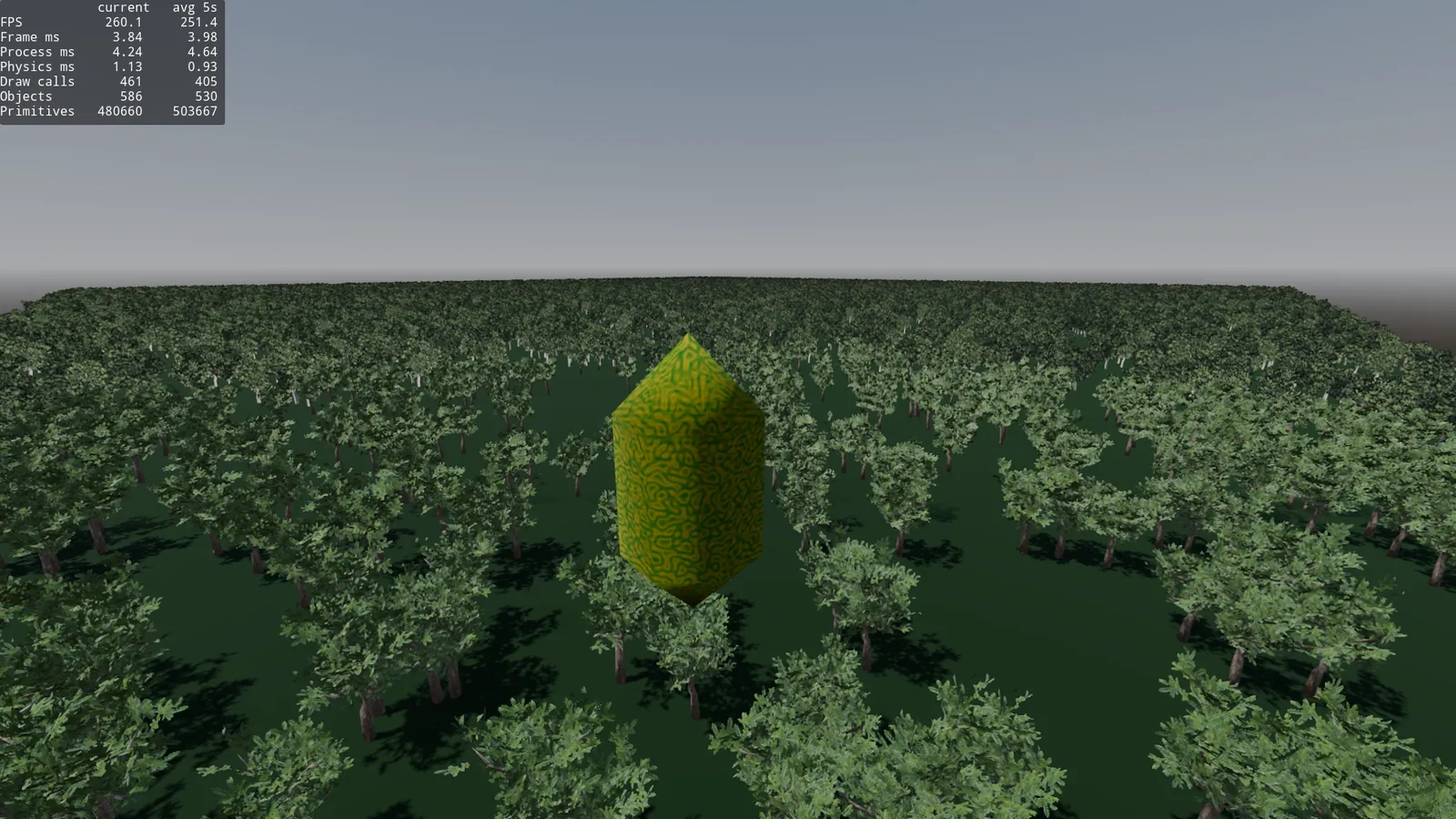
Asset optimization in Godot
This post is basically a diary of my tests optimizing a forest in Godot. I’m going to start with 400 trees thrown in like a maniac, without thinking much, and little by little I’ll apply everything that comes to mind to make it run better: automatic LOD, hand made HLOD, impostors (normal and octahedral), MultiMesh, splitting the world into chunks, collision streaming, shadow optimization and occlusion culling.
Heads up right now: half the post is going to be me discovering that for 400 trees forward+ already does almost everything on its own, and that I was racking my brain to gain 0.2ms. But all of that helps me later plant 10k trees and keep the thing playable. This is not a definitive guide nor the “correct” way to do it, it’s what I’ve tried and what worked for me (and what didn’t). Let’s go step by step.
Note: All the tests were done in Godot 4.6.2 forward+ renderer, and these specs: CPU Ryzen 5 3600k and GPU Nvidia GeForce 1660Super. Resolution 1920x1080, 160hz but vsync off and no FSR.
Part 1: Soft testing
At some point, some of us who have developed a 3D game in Godot have had the same doubt: “I want a dense forest that looks okay. But if I start planting trees (MeshInstance3D) like crazy, my game is going to run slow as hell, right?”. The answer is not as simple as it seems.
Let’s say you want a forest of 400 trees. Let’s go step by step.
I created this tree in 15 minutes in Blender to do the test. It has 2356 triangles. Two materials, one for the bark and another for the leaves.
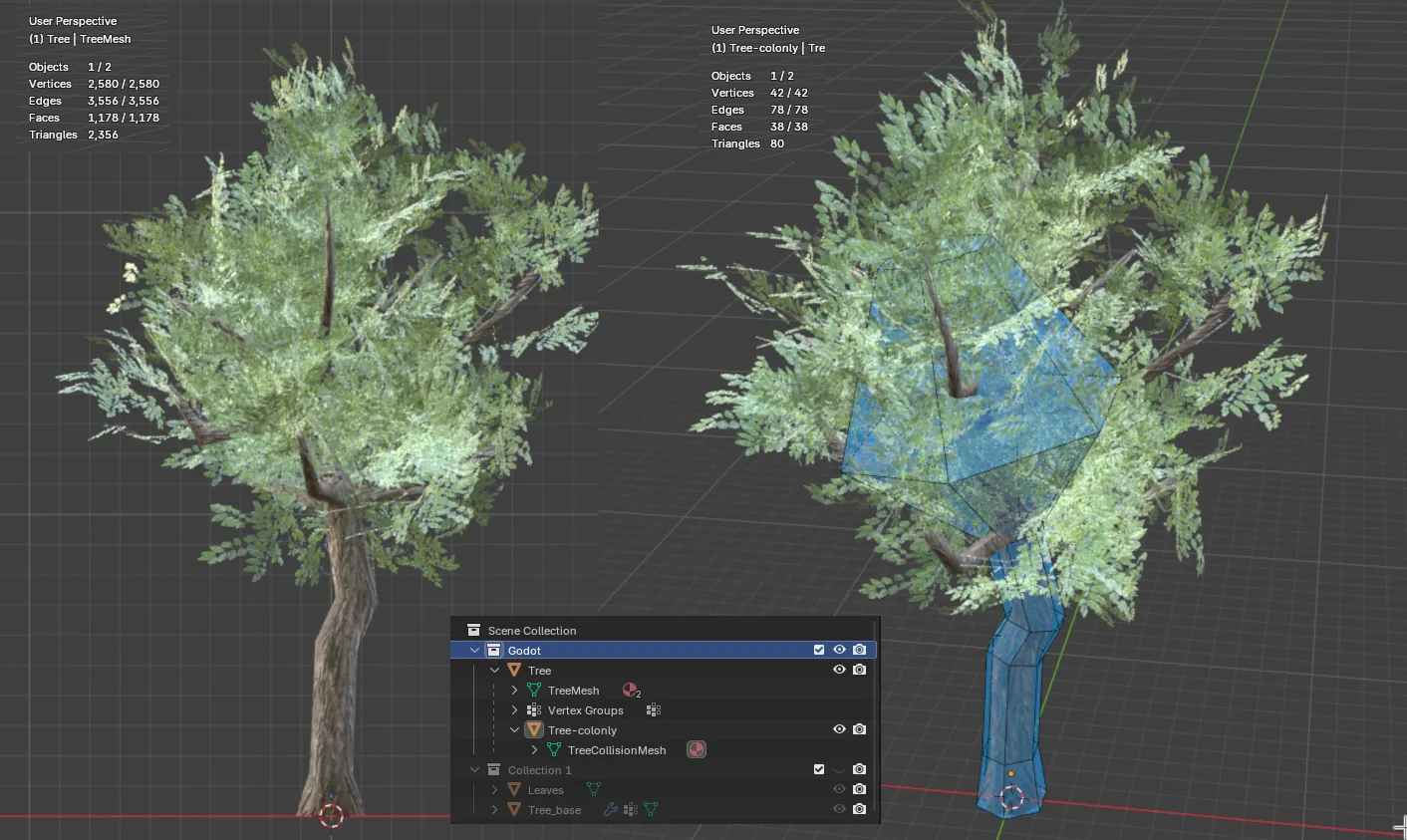
It’s not the most optimized or best made asset in the world, but for the tests, it does the job.
Also, taking advantage of Godot’s name suffixes, I created a mesh with an “optimized” collision, 80 tris with the suffix -colonly. This way, when importing it into Godot, a StaticBody3D is automatically generated with its CollisionShape3D using this mesh.
Automatic LOD
I exported it from Blender in gltf format, and when importing it into Godot, you have the option to generate LODs automatically. In some cases it works as is, but as you can see in this case, it generated two extra LODs, one with 566 tris, and another with 426.
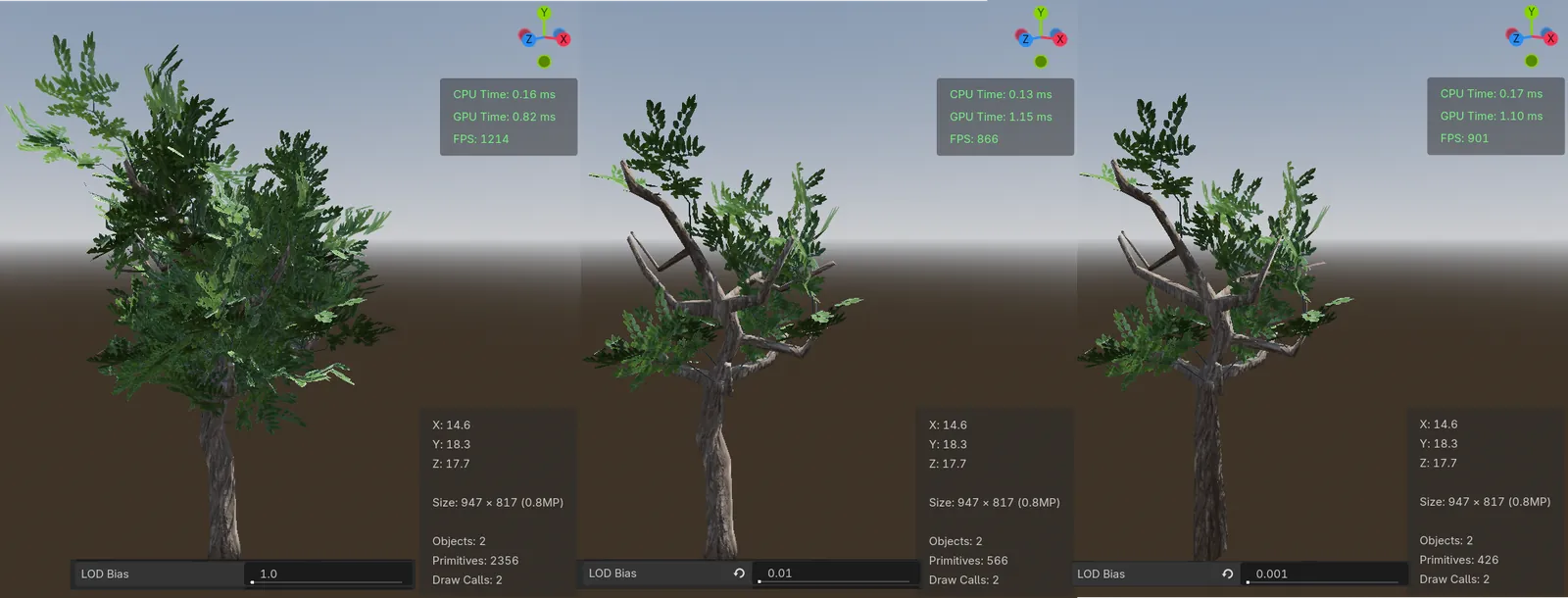
Also, the generated ones are very similar, and they lose a lot of leaves, so when we look at it from far away and we can’t see the leaves, it’s going to look pretty ugly.
But let’s do the test with these auto generated LODs.
I placed 400 trees in the scene, and created a test character so I could move around my “forest”, the dude is tripping out by the looks of it…
I also added a small script to show details like FPS, Frame Time, Process Time and Physics Time, plus an average of the last 5 seconds in the corner of the screen.
Theoretically, 400 trees equal ~942.4k tris.
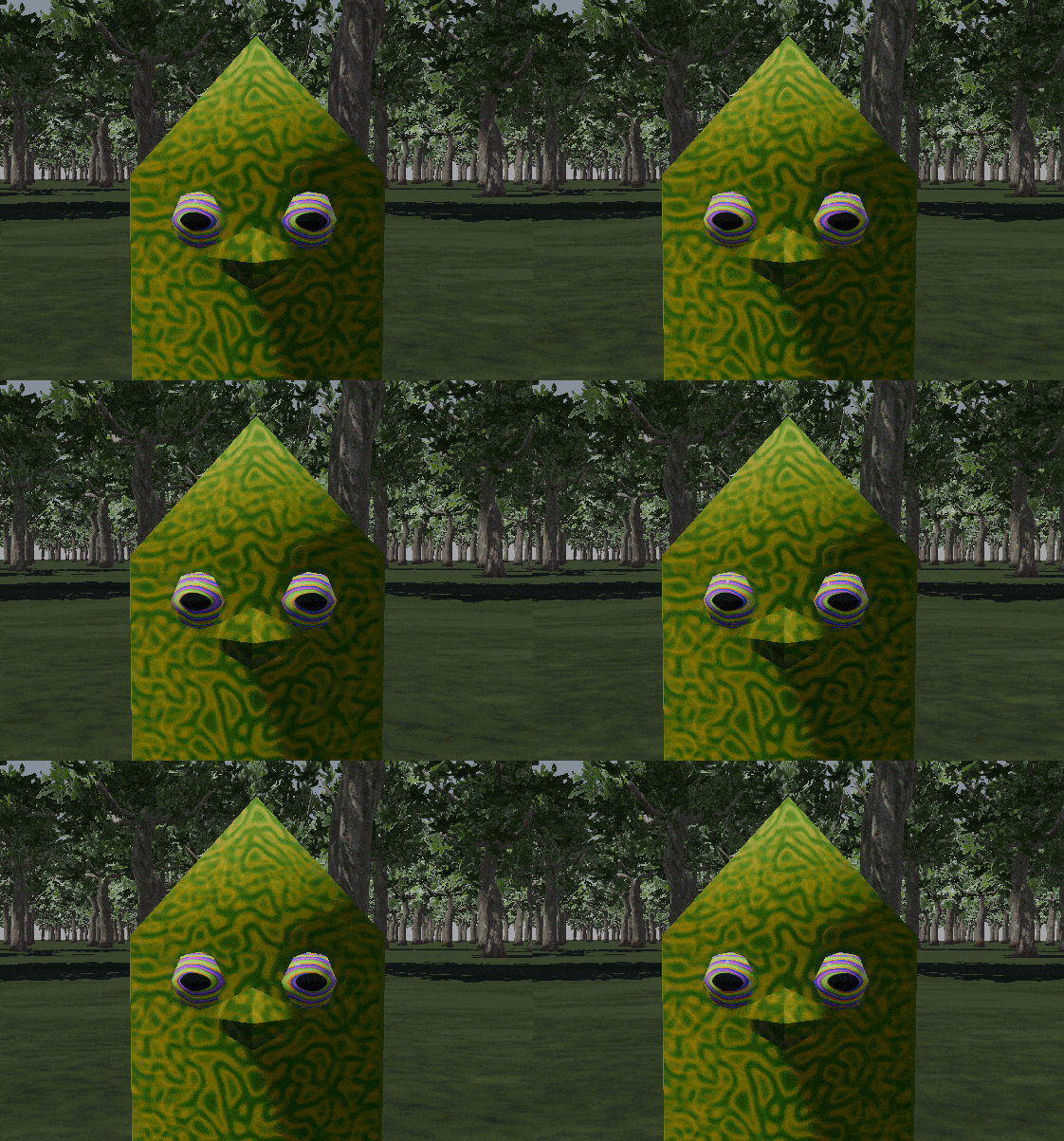
If I start the scene, with no shadows, we get this.
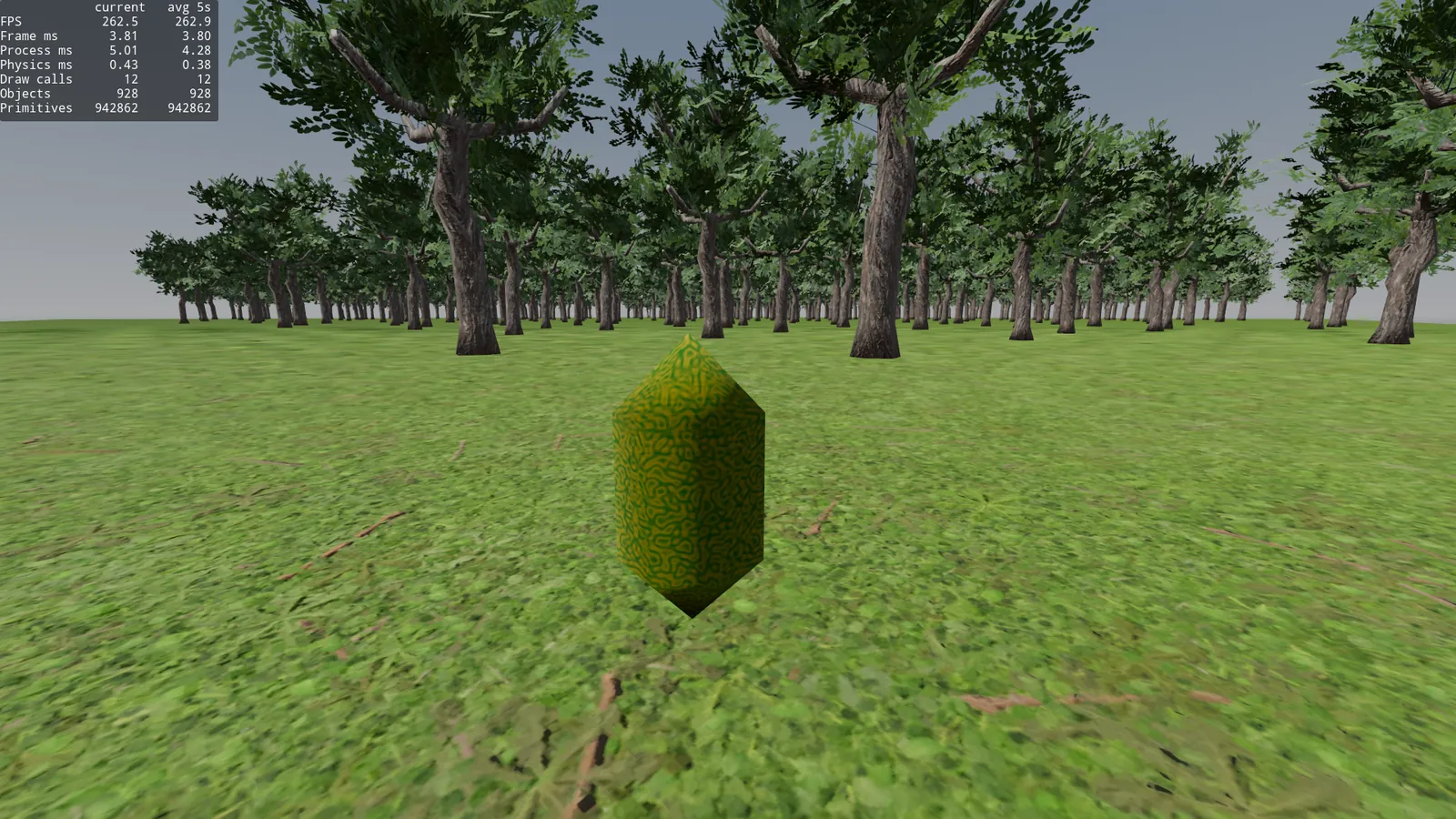
Frame time: 3.8ms, 942.8k primitives and 12 draw calls.
It seems that the character on the acid trip is about 400 primitives, makes sense.
Let’s try to optimize it. Because the 400 trees, despite not being seen up close, are being rendered at their LOD0 (2356 tris).
By default, in settings, threshold_pixels is configured to 1.0, and the documentation says:
Higher values will use less detailed versions of meshes that have LOD variations generated. If set to 0.0, automatic LOD is disabled. Increase Rendering > Mesh LOD > LOD Change > Threshold Pixels to improve performance at the cost of geometry detail.
But since nobody wants to play a game without shadows (I think), we have to account for them. So from now on I’ll do the tests with shadows enabled (in Orthogonal), a semi realistic scenario that a game could have.
threshold_pixels at 1.0.
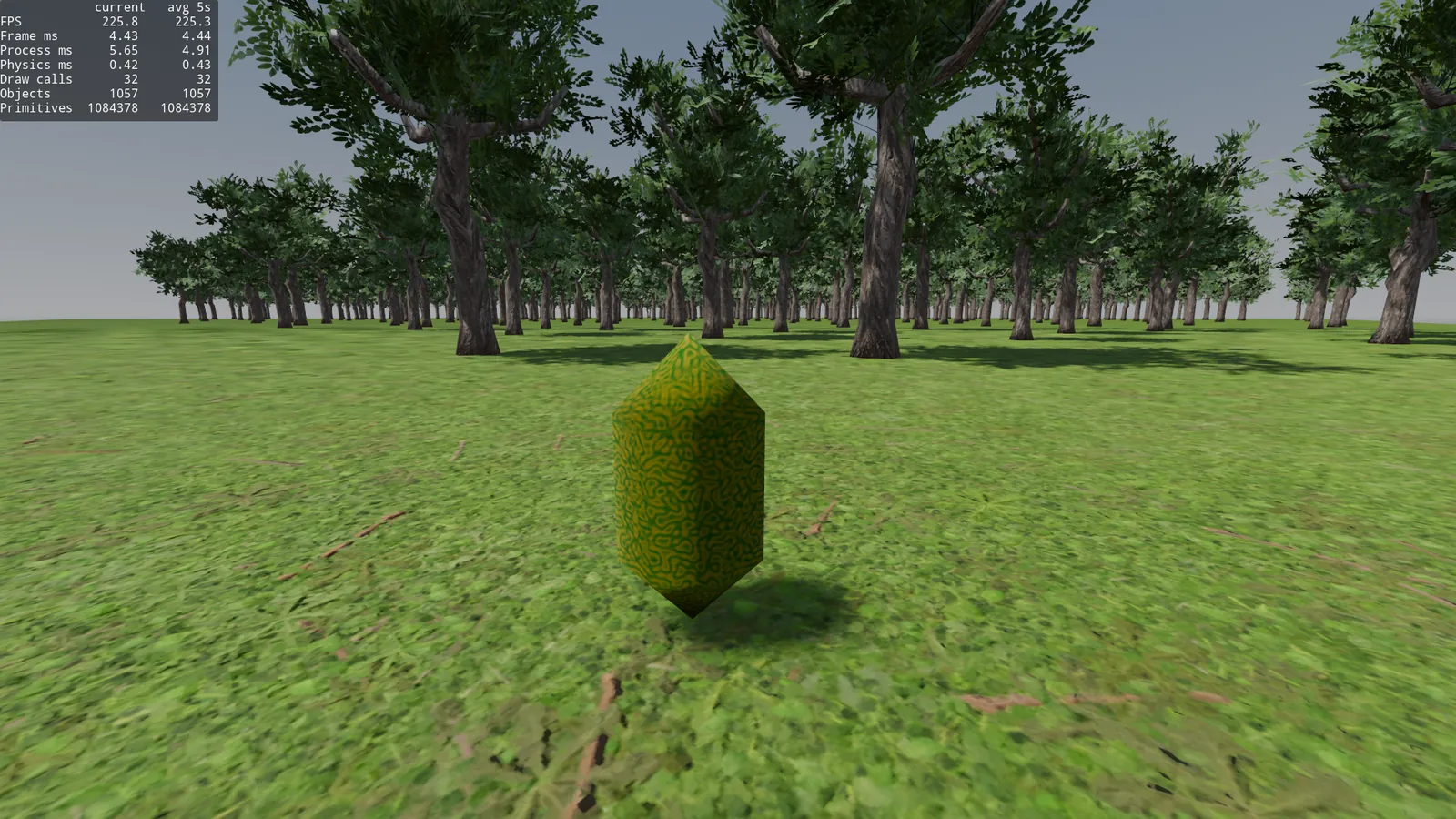
Frame time: 4.44ms, 1008.4k primitives and 32 draw calls.
More than 1 million primitives for 400 trees, considering that the only ones seen up close are barely 20, that’s way too many.
Let’s keep raising threshold_pixels so it uses the autogenerated LODs closer.
threshold_pixels at 4.0.
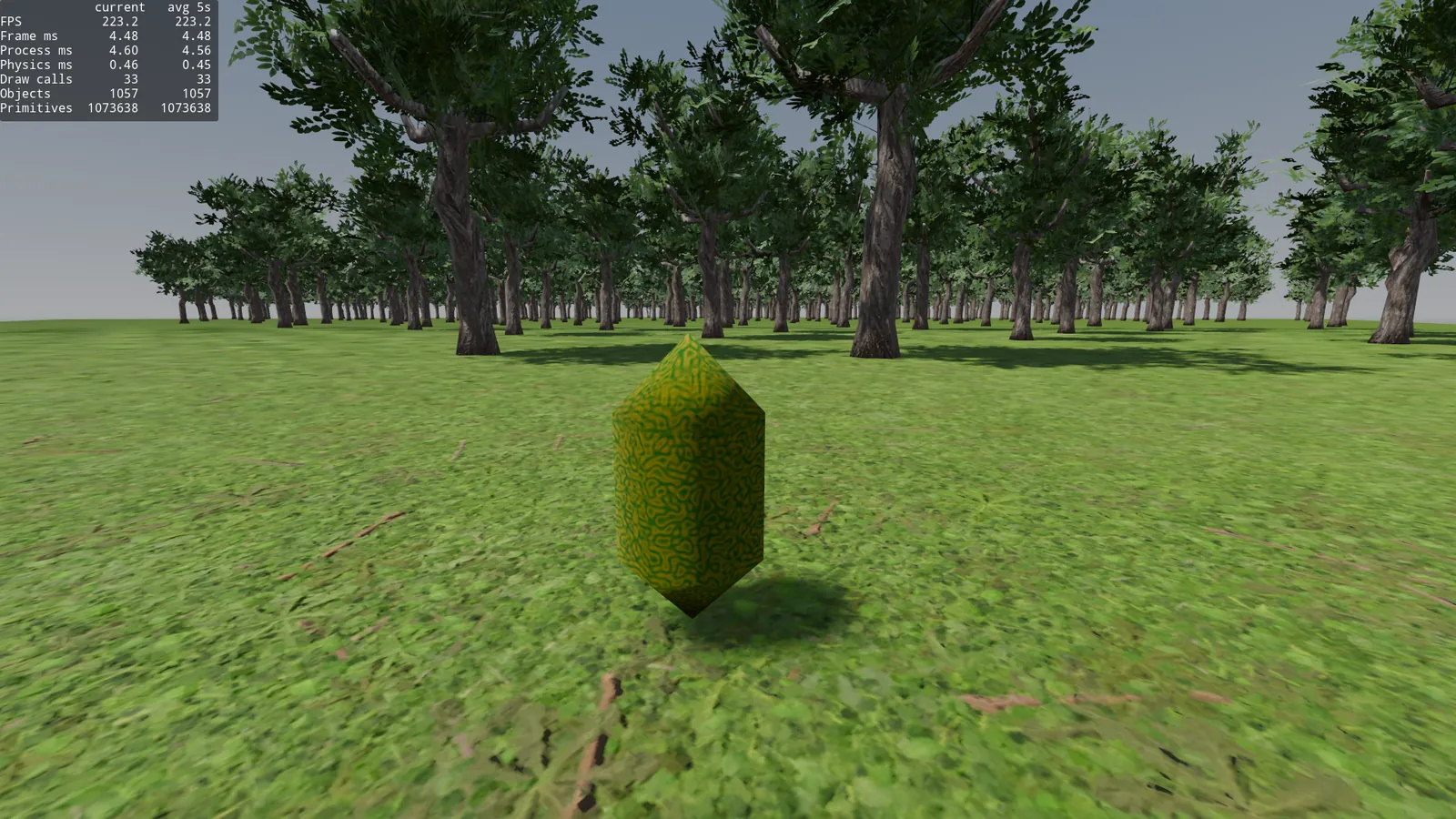
Frame time: 4.48ms, 1007.3k primitives and 33 draw calls.
Practically the same, visually there’s no difference, let’s raise it a bit more.
threshold_pixels at 8.0.
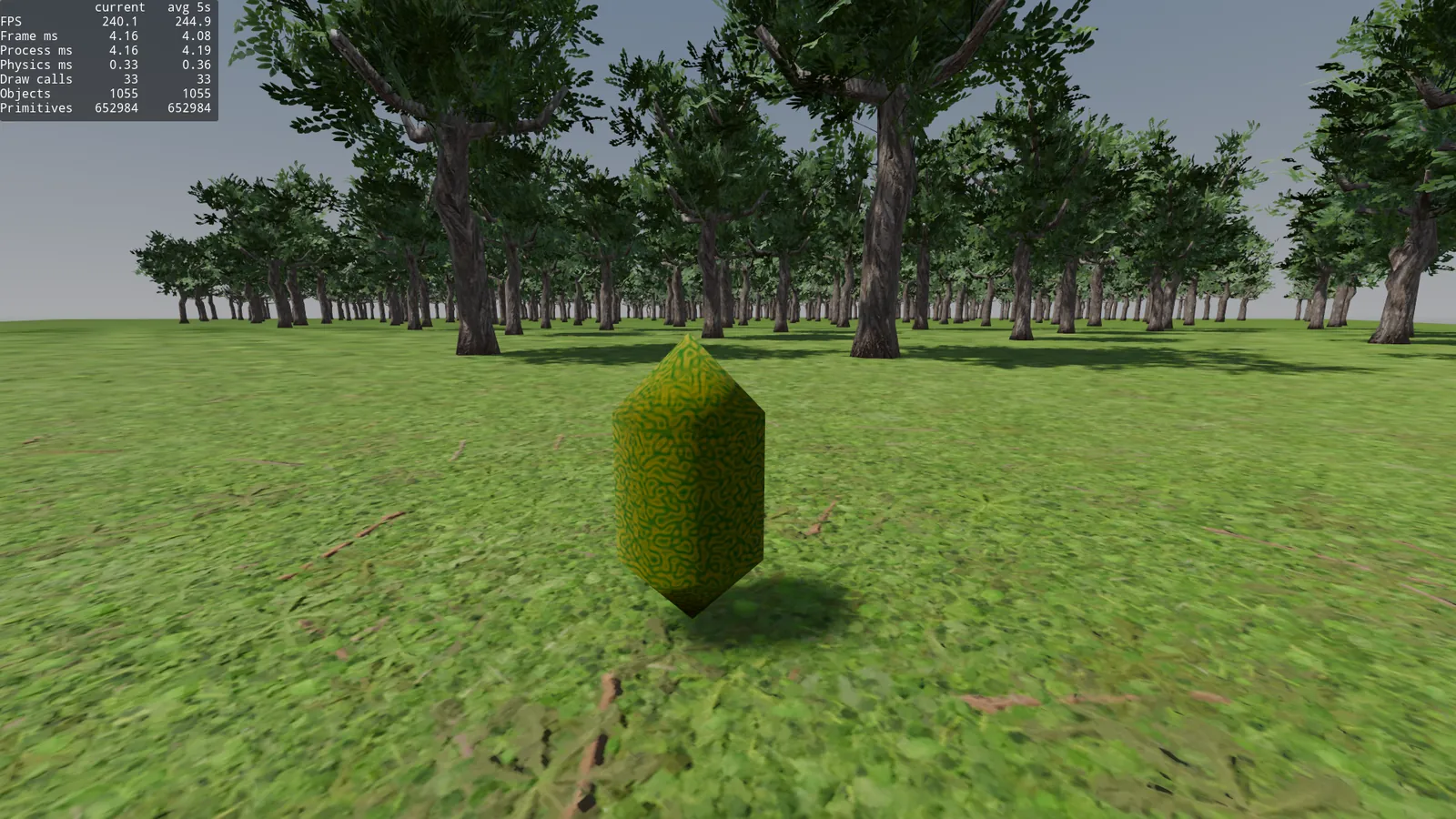
Frame time: 4.08ms, 652.9k primitives and 33 draw calls.
The frame time dropped a little, almost 40% fewer primitives, but visually the background trees are stripped of leaves. Let’s bump it to 16 and see how it goes.
threshold_pixels at 16.0.
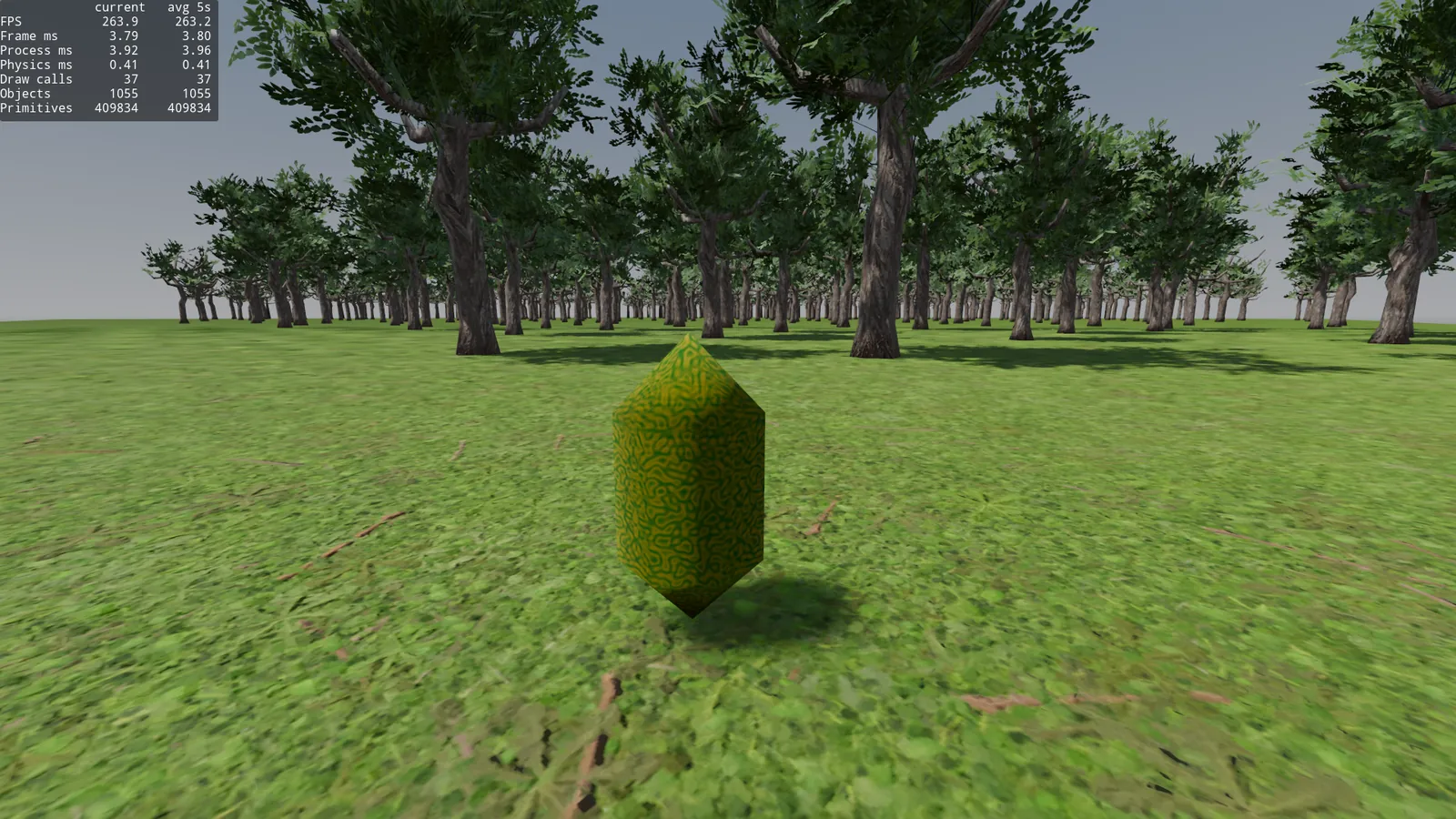
Frame time: 3.80ms, 409.9k primitives and 37 draw calls.
Okay that’s better, but half the forest has lost its leaves, it looks pretty bad and we’ve added a few draw calls. Godot can no longer group Meshes, it needs extra draw calls to draw the LOD0, LOD1 and LOD2 meshes.
Besides this global project setting, you can configure the LOD Bias on the MeshInstance3D itself. The lower it is, the closer it will switch to another level of detail.
Conclusion: With automatically generated LOD, we’re losing a lot of detail level at distances that are still visible, but by raising the threshold we gain frame time. Let’s try generating them manually.
HLOD
Back to Blender, let’s generate 4 LODs by hand.
For LOD1 the goal is to reduce the tris a bit, I duplicate the original mesh, apply a 0.7 decimate to the trunk and a 0.7 to the leaves.
For LOD2, decimate 0.3 on the trunk and .4 on the leaves.
The result, the tree keeps its shape but the tris are reduced quite a bit.
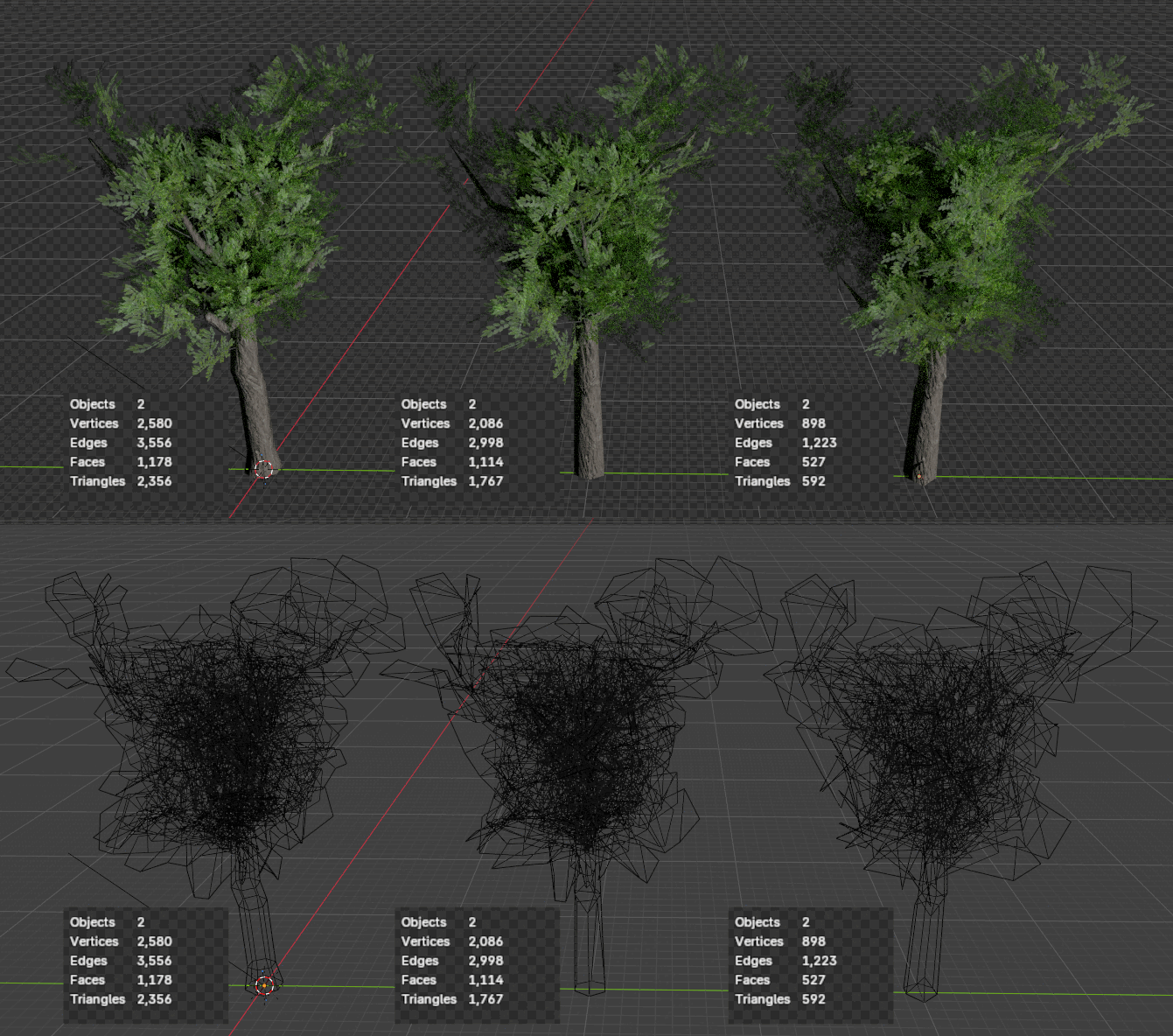
LOD0 2356 tris, LOD1 1767 tris, LOD2 592 tris.
It’s probably very badly optimized, with less than 1000 tris and well placed leaves it would look the same, but as an example of a badly made asset, it does the job.
For LOD3, which is very far away, the best thing is to use a billboard impostor, a quadmesh with a photo of the tree that orients itself toward the camera.
To do that, I take a photo of the tree in Blender and ask GIMP’s AI to generate an impostor for us. I asked it to do it at 256x256 because a distant tree is never going to take up more than 256px of height, that’s plenty.

Result:
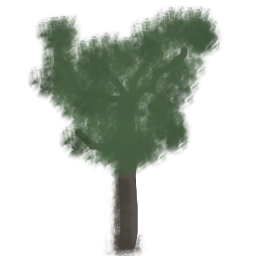
Fascinating result.
We export the GIMP drawing as png, and add it to a Blender quad.
We export from Blender, gltf and import into Godot, but this time we disable Automatic LOD on import.
Okay, now we read Godot’s HLOD documentation and try to implement it on our tree.
For the scene, 4 Meshes, from LOD0 to LOD3, with LOD3 being a MeshInstance3D of 27x27m (roughly how big the tree is), with Y-Billboard enabled, unshaded (because I don’t know how to draw well and the color looked bad) and transparency.
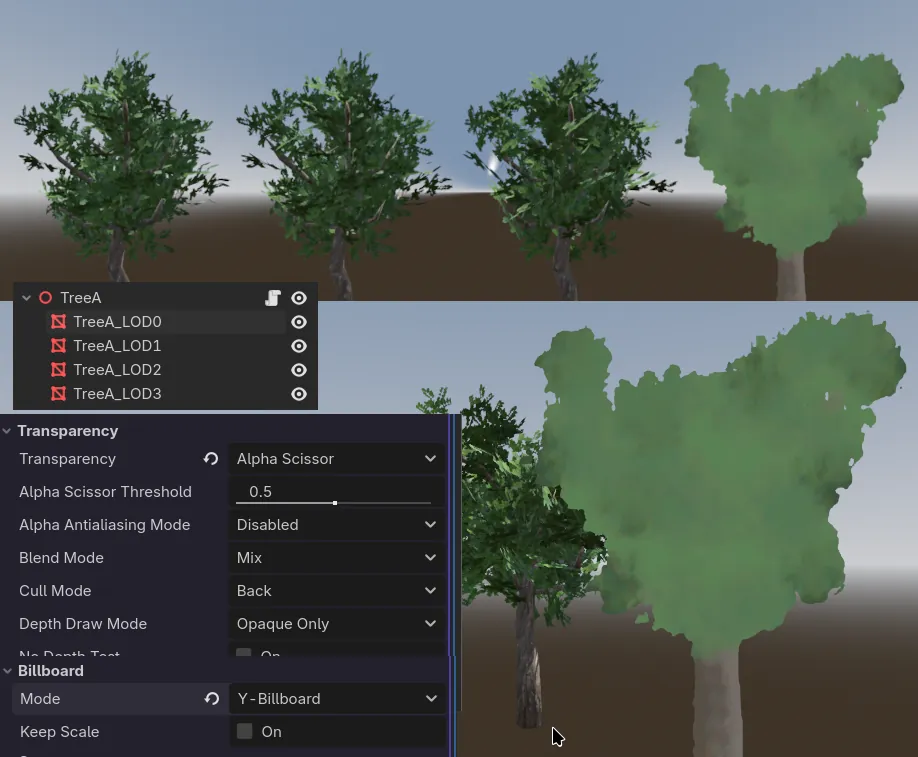
You basically can’t tell the difference, it’s a real impostor.
And for the HLOD configuration, since we read the documentation, we more or less know how to set it up. I used this in Visibility Range. Note: I didn’t use Begin Margin or End Margin.
- LOD0 - Begin
0.0and End102.0 - LOD1 - Begin
100.0and End202.0 - LOD2 - Begin
200.0and End402.0 - LOD3 - Begin
400.0and End0.0
This means that LOD0 will be visible up to 102 meters, LOD1 will start at 100 (2 meters earlier), etc… There’s an option to make a fade transition, but it didn’t give me good results, it looked a bit ugly with the fade in out.
I experimented for a while, and it’s the best option for my map, it depends a lot on the asset size, you have to keep testing.
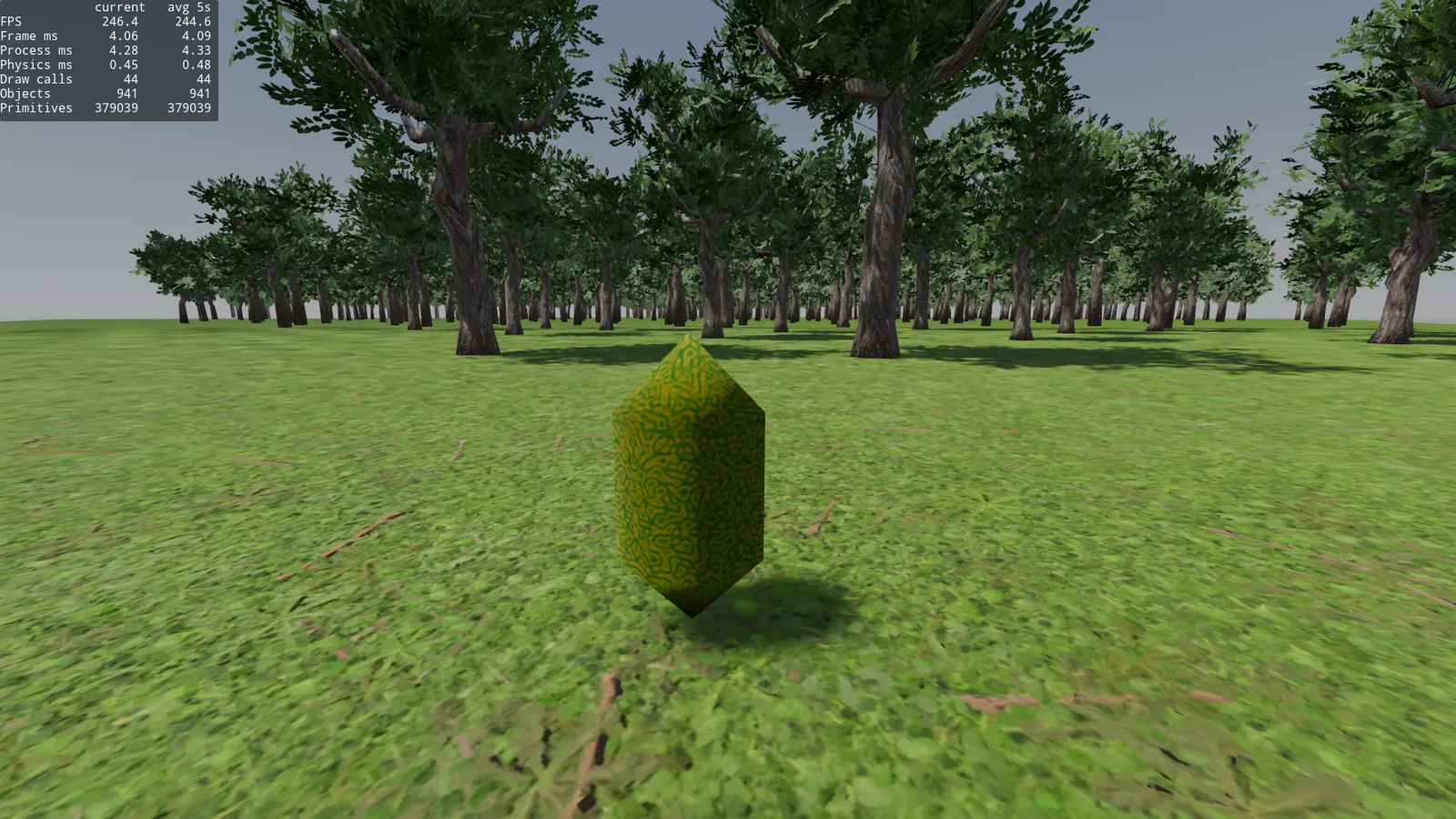
Frame time: 4.09ms, 379.0k primitives and 44 draw calls.
And the quality is practically the same as with auto LOD at 1.0 threshold. The far away trees, despite being drawn by a 4 year old kid, you can’t tell, they’re good impostors and we’ve reduced the frame time and primitives quite a bit.
If your world has no mountains and you bother to make a good impostor, this will probably work for you as an optimization. The draw calls have gone up quite a bit, but we’ll deal with that later.
The problem now is that if I look at the trees from another angle, or from above, they look flat.
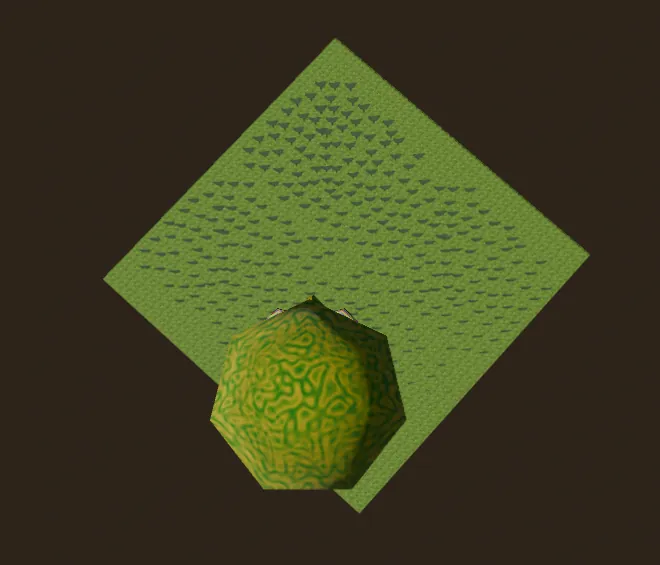
How do we fix this? The billboard is fixed to the Y axis so the trunk always touches the ground.
Let’s implement an octahedral impostor, we take 64 photos around our tree in an 8x8 hemisphere shape, because we’re never going to see it from below, and we join them into an atlas, then a shader decides which part of the atlas to show based on the world matrix and the camera position. Here it’s explained better.
There are several Blender plugins that do this, or you can do it yourself using a Python script or Godot addons.
Result.
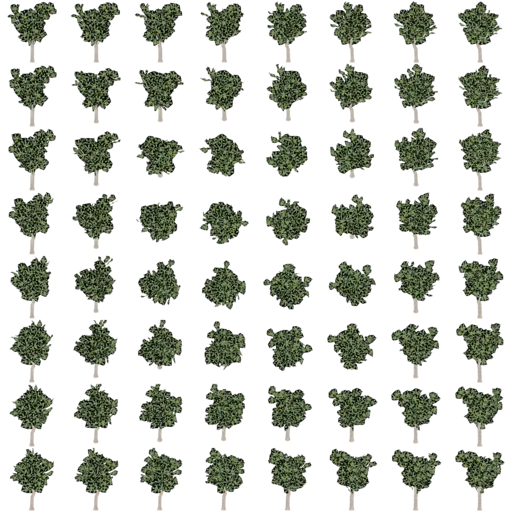
We implement the shader (there are quite a few examples if you search the internet) in the impostor’s Material in Godot and we check the results.
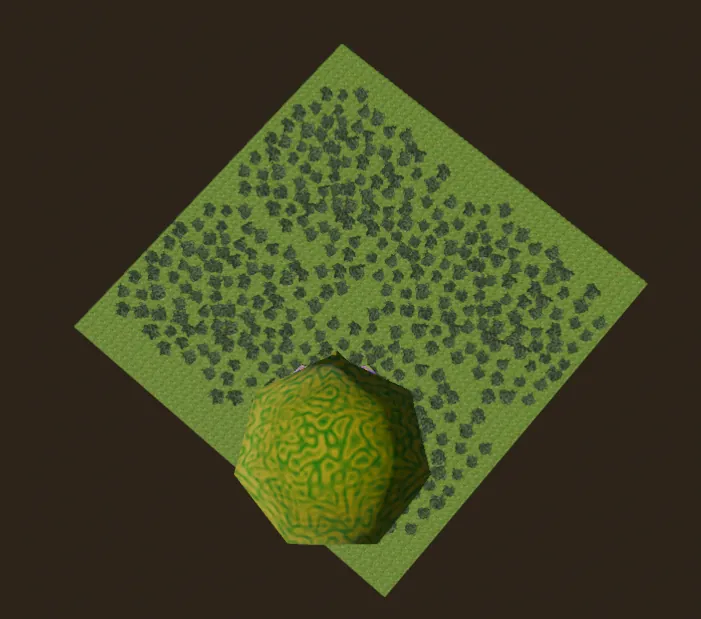
Perfect, now when I look from above, you don’t see a flat tree. With the octahedral impostor shader, I run the scene and get the following.
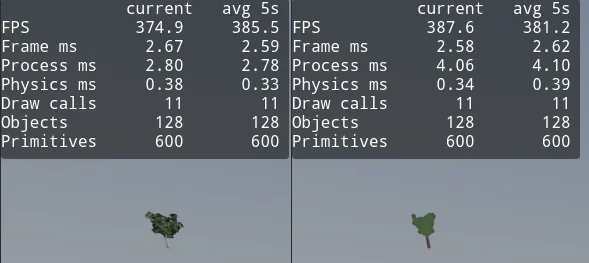
There’s basically no difference with the static billboard.
The extra 1.2ms of Process time are normal fluctuations, the avg is over 5s, nothing important.
Okay, now the elephant in the room, we’ve gone from 32-37 draw calls in autoLOD to 44 draw calls. Let’s try to optimize this.
Why did it go up?
For several reasons. Now we have 4 Meshes, LOD0 to LOD3, and on top of that LOD3 no longer shares materials with the rest of the LODs, it’s a new ShaderMaterial. The engine can no longer optimize the calls like before.
Let’s investigate what we can do with MultiMeshInstance3D.
MultiMeshInstance3D
This node seems like exactly what we’re looking for.
According to the description in the editor itself:
Node that instances a *MultiMesh*.
*MultiMeshInstance3D* is a specialized node to instance GeometryInstance3Ds based on a MultiMesh resource.
This is useful to optimize the rendering of a high number of instances of a given mesh (for example trees in a forest or grass strands).
Which if we translate it to plain English, means you give it a MeshInstance3D, and in a single draw call it draws 5 or 5000. The problem is that we have 4 MeshInstance3D, one per LOD, which means we need the same amount. So, with this will we have 4 draw calls total to draw all the trees?
First, we create the node. And on the ground plane of our trippy world, we’re going to instance the nodes in the same position where our trees are in their scene. The node has a menu that lets you place the mesh randomly along another mesh you select, this doesn’t let us place the trees in the same position as our 400 test scenes, but if we explore the MultiMesh resource documentation, we see there are methods exposed for exactly this.
set_instance_custom_data
set_instance_transform
With a @tool script, we can instance the 400 trees, with their position, scale, orientation, etc… into our MultiMesh.
We save each MeshLOD* in its file, in my case TreeA_LOD*_array_mesh.res, we load it into a new MultiMesh and run this.
@tool
extends MultiMeshInstance3D

@export var trees: Node3D


func _ready() -> void:
    multimesh.set_instance_count(trees.get_child_count())
    var i: int = 0
    for tree: Node3D in trees.get_children():
        multimesh.set_instance_transform(i, tree.global_transform)
        i += 1
We run the scene and get these numbers:
Frame time: 5.62ms (higher than normal Mesh instance) and 1885415 primitives, almost 2 million, why is that? It’s much worse.
Because now all the trees are drawn no matter what, and it’s going twice per tree to calculate the shadows, even if you don’t see them. If I disable shadows, I’m back to the 942k of the plain 400 trees.
So MultiMesh is no good then, right? The overhead doesn’t pay off. We have 14 draw calls instead of 32 but the Frame time is higher, fewer FPS.
Remember, with shadows and autoLOD at threshold 1.0, we had Frame time: 4.44ms, 1008.4k primitives and 32 draw calls. Now with MultiMeshInstance3D and forced LOD0, we have 5.62ms, 1.8 million primitives and 14 draw calls.
Also we can’t have HLOD, because a single MultiMesh is drawing everything, I can’t choose LOD by distance. I could calculate the distance from the camera to each tree and pull it out of the MultiMesh by reordering the buffer array, but that’s much slower, and crazy. [citation needed]
MultiMesh by zone (chunks)
Okay, if I can’t have HLOD in a single MultiMesh, what we can do is split our world, which is now 500x500 meters, into several pieces, and in each piece, put the trees that belong to that zone, and in each zone put 4 MultiMeshInstance3D, one per LOD. This way we have LOD by distance up to that MultiMeshInstance3D, right? Sounds good. Let’s try it.
I’m going to make 100x100 chunks, just to try. Since our terrain is 500x500, that gives me 25 in total. It should be enough.
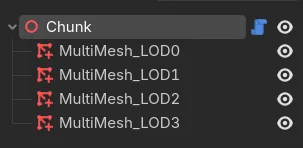
I create chunk.tscn and assign each MultiMesh its ArrayMesh.
Then, since we know the chunk size, we assign it this AABB:
(-CHUNK_SIZE*0.5, 0.0, -CHUNK_SIZE*0.5)
(CHUNK_SIZE, CHUNK_SIZE*0.5, CHUNK_SIZE)
Now that we have the chunks divided, we create a method to instance the trees that belong to it:
@tool
extends Node3D

@onready var multi_mesh_lod_0: MultiMeshInstance3D = $MultiMesh_LOD0
@onready var multi_mesh_lod_1: MultiMeshInstance3D = $MultiMesh_LOD1
@onready var multi_mesh_lod_2: MultiMeshInstance3D = $MultiMesh_LOD2
@onready var multi_mesh_lod_3: MultiMeshInstance3D = $MultiMesh_LOD3

var valid_trees: Array[Node3D] = []


func instance_trees(trees: Node3D, chunk_size: int) -> void:
    valid_trees.clear()

    var multimeshes := [
        multi_mesh_lod_0,
        multi_mesh_lod_1,
        multi_mesh_lod_2,
        multi_mesh_lod_3,
    ]

    var local_aabb := AABB(
        Vector3(-(chunk_size * 0.5), 0.0, -(chunk_size * 0.5)),
        Vector3(chunk_size, chunk_size * 0.5, chunk_size)
    )
    var global_aabb := AABB(
        local_aabb.position + global_position,
        local_aabb.size
    )

    for tree: Node3D in trees.get_children():
        if global_aabb.has_point(tree.global_position):
            valid_trees.append(tree)

    for multi_mesh_instance in multimeshes:
        multi_mesh_instance.multimesh = multi_mesh_instance.multimesh.duplicate()
        multi_mesh_instance.multimesh.custom_aabb = local_aabb
        multi_mesh_instance.multimesh.set_instance_count(valid_trees.size())
        for i in valid_trees.size():
            multi_mesh_instance.multimesh.set_instance_transform(
                i,
                global_transform.inverse() * valid_trees[i].global_transform,
            )
Then, in the main Node3D, the chunk container, we instance one chunk.tscn per chunk we need, place it in the world and pass it the trees:
@tool
extends Node3D

@export var trees: Node3D

const CHUNK_SCENE = preload("uid://c7wonaultotmy")

const WORLD_SIZE: int = 500
const CHUNK_SIZE: int = 100


func _ready() -> void:
    for child in get_children():
        child.queue_free()

    var chunks := int(float(WORLD_SIZE) / float(CHUNK_SIZE))
    var offset := WORLD_SIZE * 0.5 - CHUNK_SIZE * 0.5

    for x in chunks:
        for z in chunks:
            var pos := Vector3(offset - x * CHUNK_SIZE, 0.0, offset - z * CHUNK_SIZE)
            _create_chunk(pos, "%d_%d" % [x, z])


func _create_chunk(pos: Vector3, chunk_name: String) -> void:
    var chunk_node := CHUNK_SCENE.instantiate()
    chunk_node.name = "Chunk_%s" % chunk_name
    chunk_node.position = pos
    add_child(chunk_node)
    chunk_node.owner = get_tree().edited_scene_root
    chunk_node.instance_trees(trees, CHUNK_SIZE)
Now with these two simple scripts, we have our chunks parameterized. Let’s test the performance with CHUNK_SIZE at 100 (25 chunks).
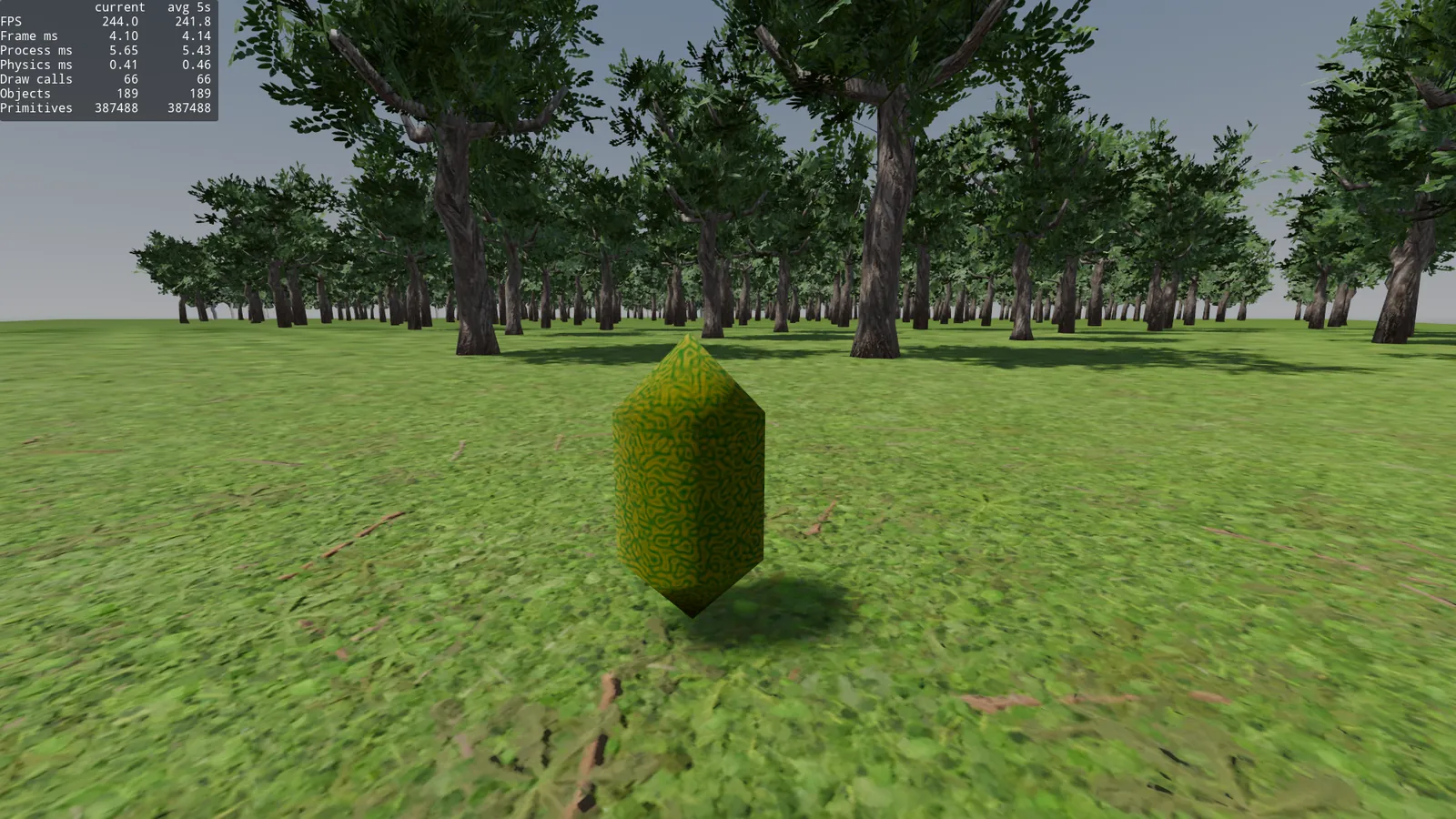
Doesn’t look good, 4.14ms frame time, 387k primitives and 66 draw calls, too many.
There are too many small chunks, there are draw calls painting 7-10 trees because their zone doesn’t cover much.
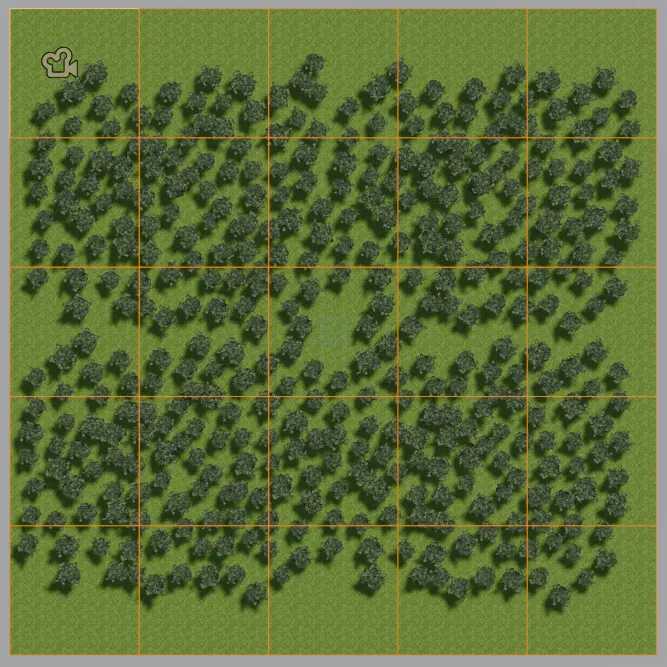
Let’s split the world into 250x250 chunks and try. const CHUNK_SIZE: int = 250
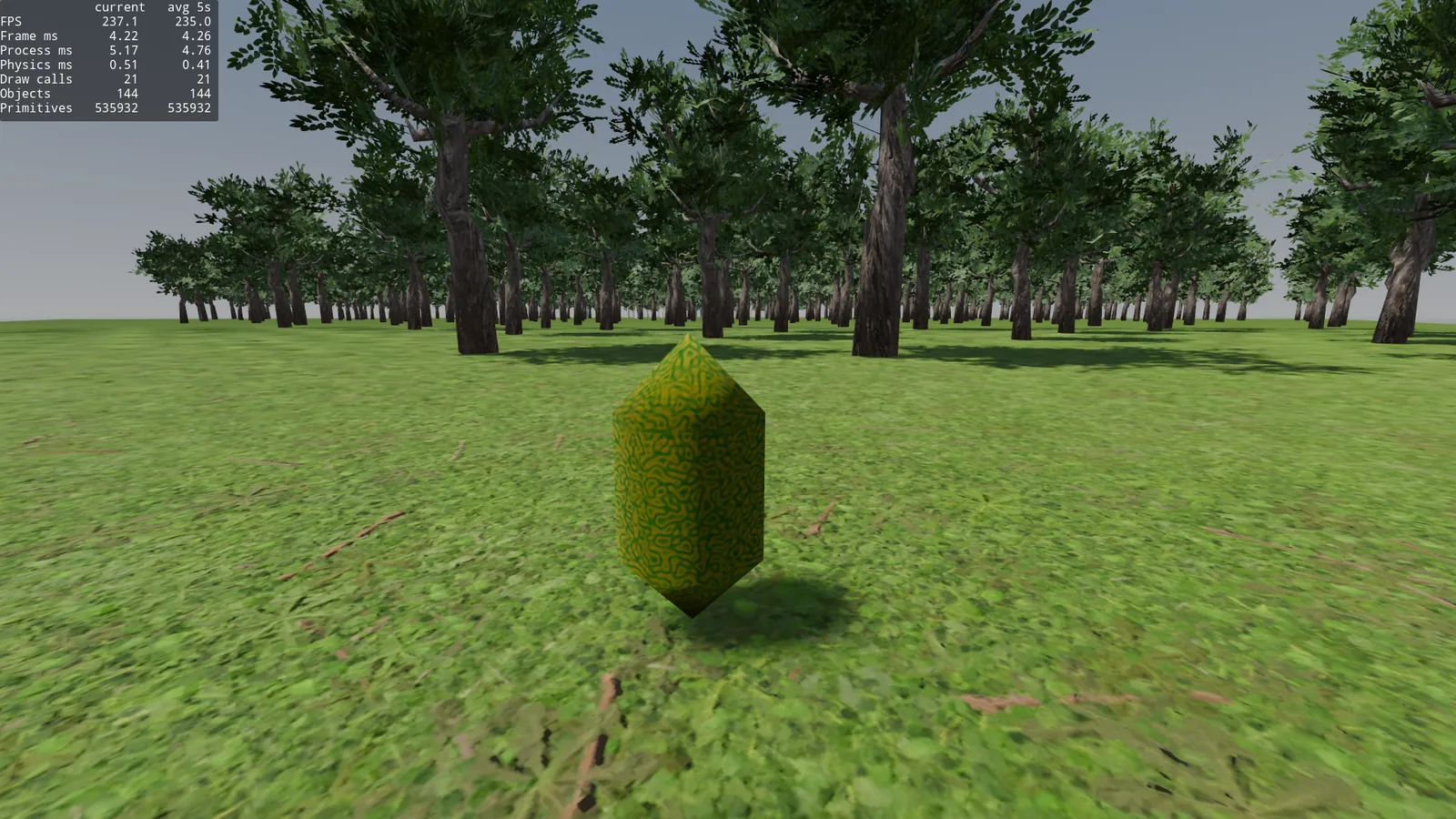
The frame time goes up to 4.26ms and on top of that, since the chunk’s center point is far away (+100m from LOD0), it’s drawing LOD1 instead of LOD0, and it looks ugly. For it to look good, LOD0.visibility_range_end should be greater than CHUNK_SIZE. We’ve dropped to 21 draw calls, but it doesn’t look good.
Doing more tests.
const CHUNK_SIZE: int = 100: Frame time 4.14ms, 387k primitives and 66 draw calls.const CHUNK_SIZE: int = 125: Frame time 4.17ms, 401k primitives and 47 draw calls.const CHUNK_SIZE: int = 250: Frame time 4.26ms, 535k primitives and 21 draw calls. And wrong LOD.
In my case, it seems that what adds up the most is the primitives. Not the draw calls. It kind of makes sense. It seems 125 is a good spot.
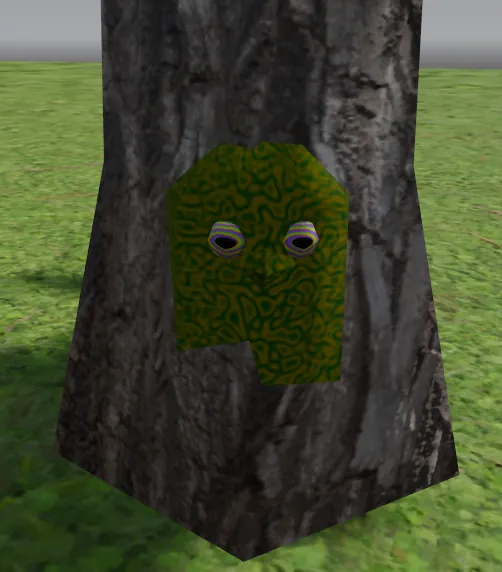
All this work to optimize the forest, only to drop 0.2ms of frame time and right now, no tree has collisions. This doesn’t seem worth it.
Why? In Godot, forward+ already does auto-instancing/automatic mesh batching. It automatically groups MeshInstance3D nodes that are exactly the same (same mesh, same material) into a single draw call. We’ll review this later. Let’s fix the collision problem.
CollisionStreaming, collisions around the player
We want only the trees around the player to have collisions.
Using several MeshInstance3D per tree, we can try to listen to the LOD0 visibility to enable or disable its collision. But this approach has a problem: It doesn’t change Node3D.visible nor does it emit visibility_changed, so it’s not a reliable base for the collision logic.
But we can measure the distance to the camera in _process and if it’s greater than a range, we disable collision. Let’s try with this script, disable everything that’s farther than 50 meters.
extends Node3D

@export var collision_shape: CollisionShape3D
@export var collision_distance: float = 50.0


func _process(_delta: float) -> void:
    var camera := get_viewport().get_camera_3d()
    var distance := global_position.distance_to(camera.global_position)
    collision_shape.disabled = distance > collision_distance
Now, if we test the scene with the visible collision shapes debug. We see the following.
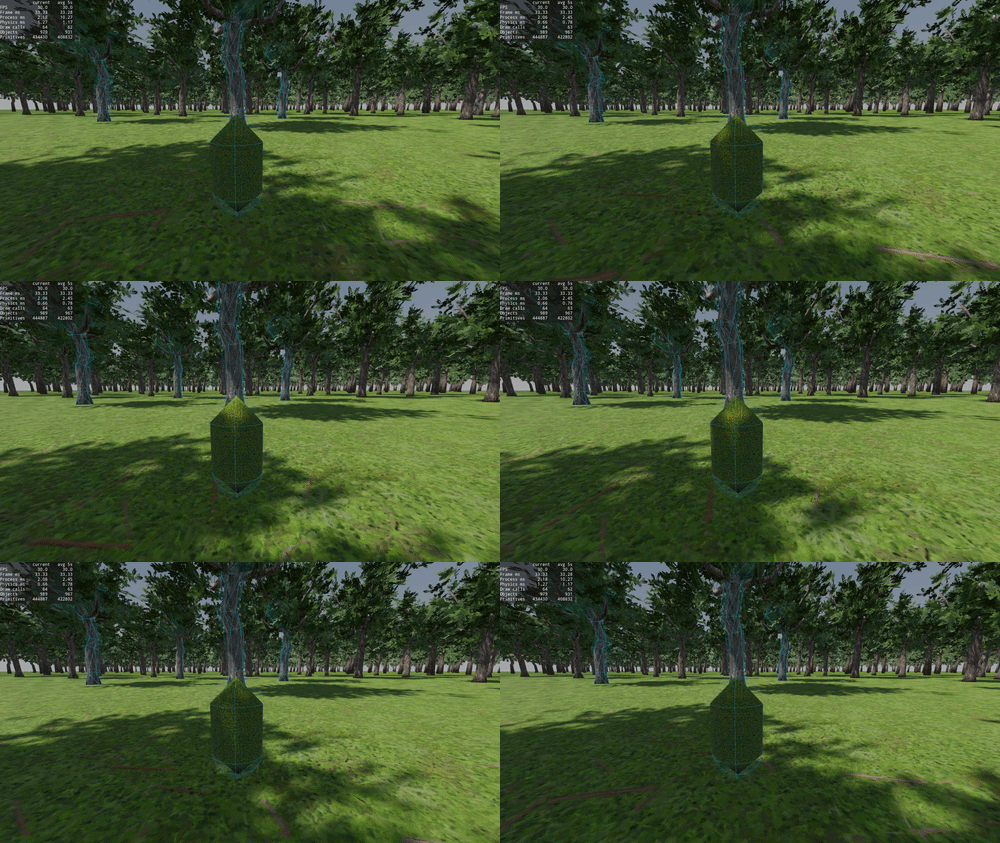
Seems to work fine.
I get close and it activates.
I move away and it deactivates.
And so on in an infinite loop.
Note: I disabled the chunks/multimesh we created in the previous step, first I’m testing using the individual per tree nodes we made at the beginning.
But this is a bit of a hack. We can optimize it a little by pulling the camera out into a class member so it gets instanced in _ready, but doing distance_to or even distance_squared_to every frame for every tree doesn’t scale well.
If we go to the debugger, we can see that the 400 calls to _process are costing us ~0.30ms per frame:

We need to find another way.
You can put an Area3D with a CollisionShape3D in the shape of a 50m bubble around the player, and have it send a signal to the tree to activate its collision when this bubble touches the tree, but we’re back to the same thing, for this, each tree would have to have a collision listening at all times.
This aproach would be good for enemies that have LOD for its AI, but not for this.
Let’s use the chunks we created before.
One idea is to have an Area3D in each chunk that detects when the player enters, and activate/deactivate all the tree collisions of that chunk when the player exits/enters.
In the instancing script, we add this:
...
@onready var tree_collisions: StaticBody3D = $TreeCollisions
@onready var player_detection_area: Area3D = $PlayerDetectionArea
@onready var player_detection_shape: CollisionShape3D = $PlayerDetectionArea/CollisionShape3D
...

func instance_trees():
  ...
  player_detection_shape.shape = player_detection_shape.shape.duplicate()
  player_detection_shape.shape.size = Vector3(chunk_size, chunk_size, chunk_size)

    for tree: Node3D in valid_trees:
        var coll = tree.collision_shape.duplicate()
        tree_collisions.add_child(coll)
        coll.transform = global_transform.inverse() * tree.global_transform
        coll.set_deferred("disabled", true)
    ...

func _on_player_detection_area_body_entered(_body: Node3D) -> void:
    for child: CollisionShape3D in tree_collisions.get_children():
        child.set_deferred("disabled", false)


func _on_player_detection_area_body_exited(_body: Node3D) -> void:
    for child: CollisionShape3D in tree_collisions.get_children():
        child.set_deferred("disabled", true)
We put the player on layer 2, and the player_detection_area on mask 2.
It would look like this:
- Chunk
- MultiMeshLOD0..LOD3
- PlayerDetectionArea (Area3D that detects the Player)
- CollisionShape3D
- StaticBody3D (Tree collisions)
- CollisionShape3D_Tree1
- CollisionShape3D_Tree2
- etc..
A single StaticBody for all the trees in the chunk. Seems simple. Also you can reuse the ConcavePolygonShape3D we already have in the tree scene.
Works fine. When we enter a chunk’s zone, the collisions activate, and they deactivate when leaving.
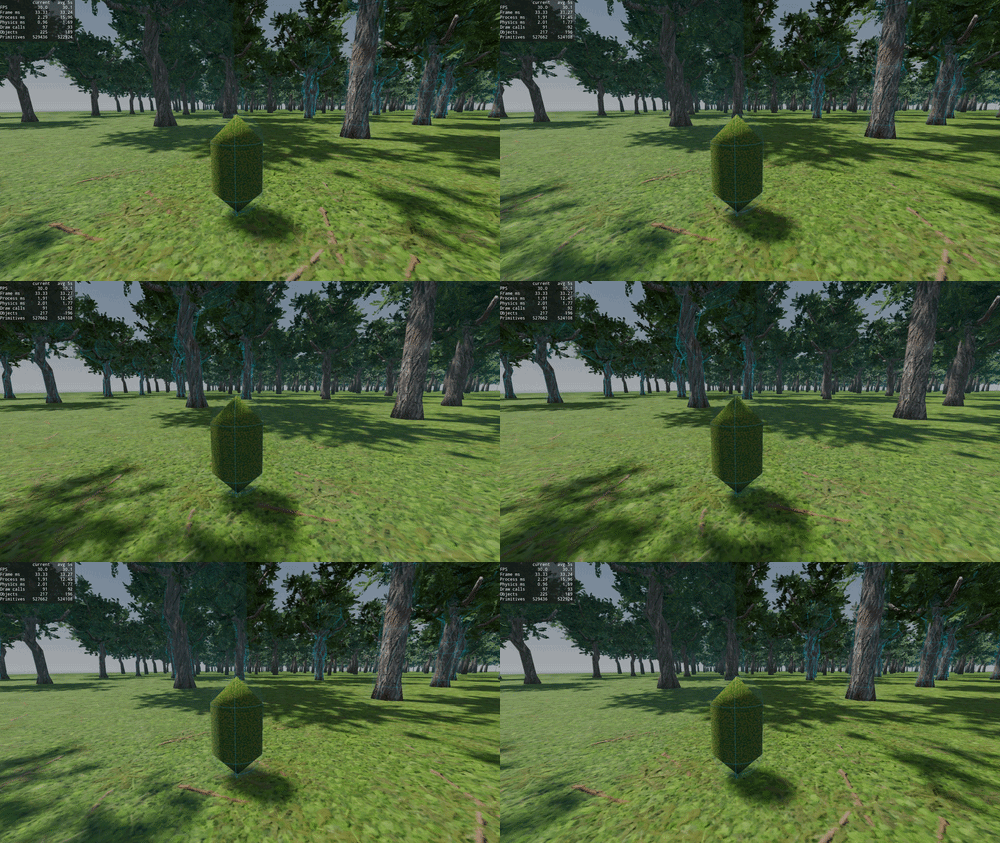
And we’ve gone from calculating the distance to the camera once per frame per tree. To a listener that runs only once when changing chunks. Seems like an improvement.
In terms of process time and frame time, there’s an improvement of ~0.2ms, but we only have 400 trees. I’ll talk more about this later.
Okay, now we have:
- 400 trees.
- 16 chunks of 125x125
- Collisions per chunk, a single StaticBody per chunk, which activates/deactivates on enter/exit.
- Stats - Frame time: 4.03, 43 draw calls and 359k primitives.
Not bad at all. Seems like an optimization. Also, the physics time is at ~0.55ms.
Note: It could be optimized a bit more, right now there are 16 chunks, and theoretically, counting the corners, the player could travel between any chunk, but in case of having more, you could disable the
PlayerDetectionAreaof the chunks that aren’t adjacent to the current one. But in my case I’m not going to waste time to gain a few microns of physics time. Jolt has no problem with this for now.
Okay, now everything seems to run better, even though it wasn’t doing too badly at the start… What else can we optimize?
Note: I switched the shadows back from
OrthogonaltoPSSM 4 Splitsfor the following tests.
Reviewing the debugger’s visual profiler, I saw that the things that consume the most time on the GPU in the render pass are:
- Render Opaque Pass: ~2.05ms
- TAA: ~1.02ms
- Render Shadows: ~0.55ms
- Render Depth Pre-Pass: ~0.26ms
Brief explanation of what each one is and how to reduce it in this scene, if it’s even possible:
Render Opaque Pass
This is the render pass where the “real” shading of all visible opaque geometry is calculated: lighting, materials, textures, normal maps, etc… It makes sense that it’s the heaviest one, because it’s basically proportional to how many triangles and pixels you’re drawing with their full material. Everything we’ve done so far directly affects here: fewer visible triangles = less work in this pass. We’ve already been optimizing this quite a bit, so there’s not much more to touch without sacrificing geometry.
TAA
Temporal Anti-Aliasing, basically it accumulates information from several frames to smooth the edges and reduce the noise from other things you have on, like SSAO or SSR. It’s a more or less fixed cost, and doesn’t have much to do with how many trees/geometry we have on screen. It’s important to keep in mind, if I were making a low-poly game, I could switch it to MSAA or even disable it to save myself ~1ms. In this case, if I disable it, the impostors depend a bit on this to look “good”, so we can leave it enabled.
Render Shadows
Not very cryptic either, it’s the shadow map generation, the more objects there are inside the shadow caster, the bigger it gets. The number of cascades the DirectionalLight3D has also matters. It can be improved by reducing the shadow_max_distance currently at 100 meters. In the scene’s forest, each tree within this range is extra geometry that gets drawn twice for the shadow pass. There’s room for improvement, do we need the LOD1/LOD2 and LOD3 trees to have shadows? They probably won’t even be noticeable. Let’s see now.
Render Depth Pre-Pass
This is a previous pass that draws the depth of the opaque geometry, this lets the Opaque Pass discard things earlier and not spend shading on pixels that basically aren’t going to be seen (early-z). The more “hidden” geometry there is, the more beneficial this pass is. Right now it’s pretty cheap and there’s little we can improve here without touching geometry.
So, the Opaque Pass, theoretically, we’ve already optimized it quite a bit in the previous steps, we’ve removed a good amount of geometry from the screen. What seems like we can optimize are the shadows.
Shadows
Right now LOD0 is set up to 100 meters.
The directional_shadow_max_distanceis also set to 100 meters.
I’m going to try with different options.
PSSM 4 Splitsand 100 meters: Frame time 4.55ms, 62 draw calls, 643k primitives, Render Shadows ~0.5ms. Visually: good.PSSM 4 Splitsand 50 meters: Frame time 4.43ms, 57 draw calls, 522k primitives, Render Shadows ~0.37ms. Visually: shadows only very close, meh.PSSM 2 Splitsand 100 meters: Frame time 4.47ms, 50 draw calls, 441k primitives, Render Shadows ~0.36ms. Visually: good.PSSM 2 Splitsand 50 meters: Frame time 4.35ms, 49 draw calls, 399k primitives, Render Shadows ~0.26ms. Visually: shadows only very close, meh.Orthogonaland 100 meters: Frame time 4.17ms, 47 draw calls, 401k primitives, Render Shadows ~0.46ms. Visually: worse than with PSSM, especially on the character’s shadow.Orthogonaland 50 meters: Frame time 4.13ms, 43 draw calls, 359k primitives, Render Shadows ~0.39ms. Visually: bad.
A good middle ground for quality is Orthogonal or PSSM2 and shadows at 80-100 meters. I’m going to leave it Ortho and 100m.
I try disabling GeometryInstance3D.cast_shadow on the MultiMesh LOD1, LOD2 and LOD3 of the chunk scene and compare with Ortho at 100m.
Frame time 4.09ms, 39 draw calls, 280k primitives, Render Shadows ~0.14ms. Visually: same as before. Performance improvement without losing quality, we removed ~0.3ms from Render shadows for free. Niiice.
Why does this happen? It happens because the LOD1, 2 and 3 meshes were being sent to all the passes, opaque, depth, pre-pass and shadows, even though we weren’t seeing the shadow generated on screen because of the shadow_max_distance.
By disabling cast_shadow on those three MultiMesh, we’re telling Godot “don’t even
bother, this is never going to contribute shadow”, and it’s saved completely. Hence the -4 draw calls, 0.30ms and -79k primitives, without changing a single pixel on screen. Happy GPU.
But there’s a problem, now the shadows pop-in when I get close to the chunk and it switches from LOD1 to LOD0, since LOD1 doesn’t cast shadows. You could fix it by putting shadows on LOD1 or raising LOD0’s range, but it doesn’t look great, we’ll see how to fix it later.
Note: this is specific to my HLOD config. If your LOD0 reaches farther than your shadow distance, or your LOD1 still falls within the shadow range, you might actually need it to cast shadow. As always, it depends on the setup, you have to test it.
Okay, but I want the shadows to be visible far away, it looks a bit weird that in a forest you only see the shadows at 100 meters. It would look much better if you saw shadow across the whole forest without the GPU suffering so much, right?
I’m going to remove the shadow distance (I set it to 1000m). Let everything have dynamic shadows, I set cast_shadow back to On on all the MultiMeshInstance3D of my chunk node.
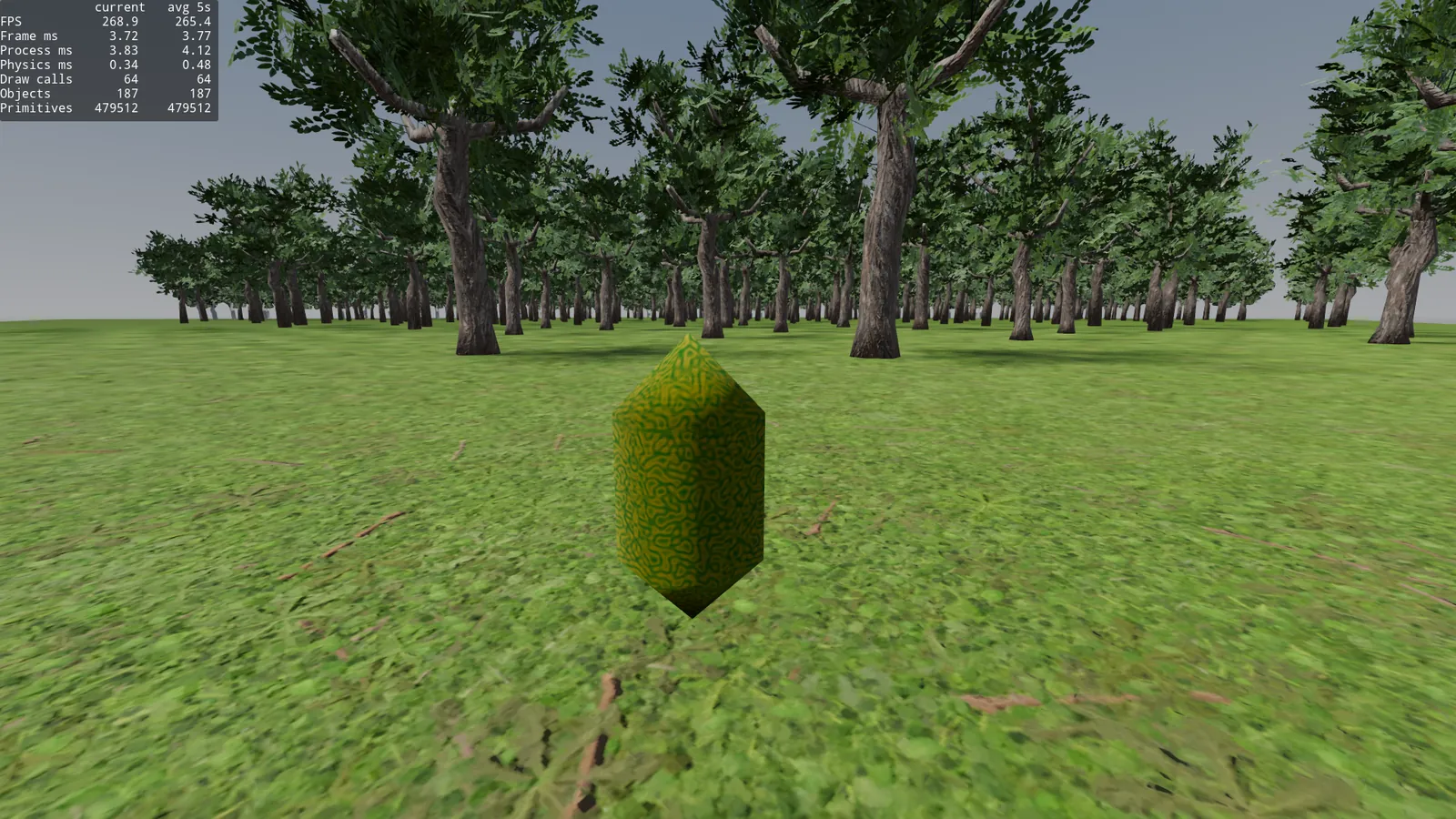
Completely horrible.
What happened, if I set it to 1000 meters, all the shadows of all the trees should be visible, right?
In the directional_shadow_max_distance documentation itself it says:
The maximum distance for shadow splits. Increasing this value will make directional shadows visible from further away, at the cost of lower overall shadow detail and performance (since more objects need to be included in the directional shadow rendering).
What a piece of crap, quality is lost the more distance I set… I try with PSSM4 at 1000 meters and same thing, it looks a bit better, but the shadows are terrible. At 500 meters, same, at 200 meters a bit better. But at 200 meters that’s 0.75ms of Render Shadows. And they don’t look that good.
I want shadows from far away, and earlier we already put impostors for the normal mesh, let’s do the same for the shadows.
Shadow impostors
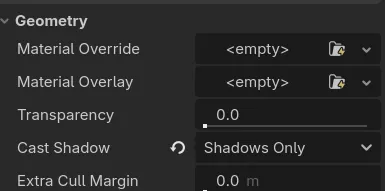
GeometryInstance3D.cast_shadow has the SHADOWS_ONLY option. This makes the mesh invisible in the normal render but it does get drawn in the shadow pass. This is exactly what we need. A very simplified tree mesh to cast the shadow. So the normal mesh doesn’t take care of this. Also, we avoid casting shadows through transparencies.
Shadow proxy
I created this mesh in Blender, it’s similar to the -colonly, but for shadows. My goal was less than 300 tris. It ended up at 228.
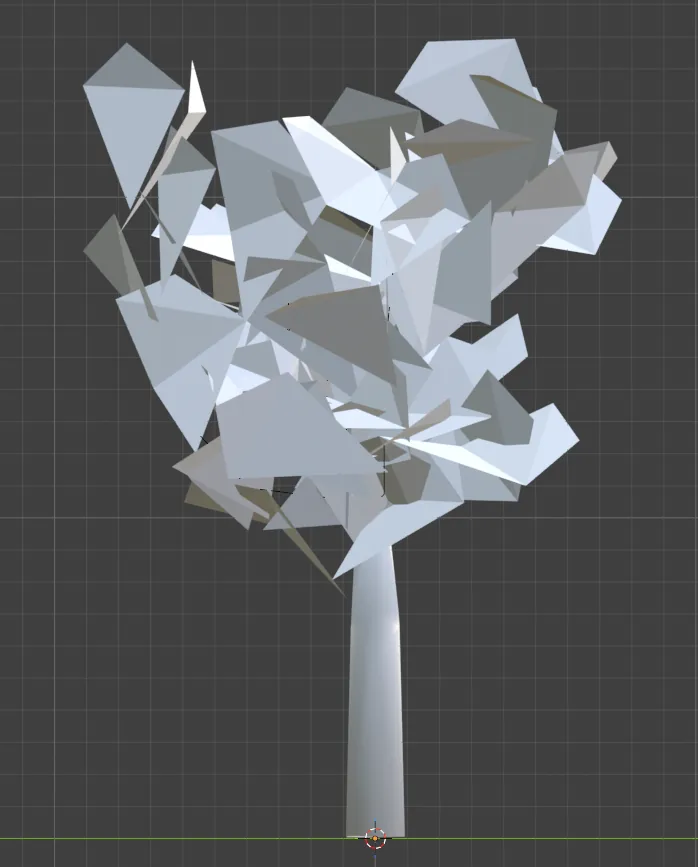
I did a 50% decimate on the trunk, and removed roughly 60/70% of the leaves, especially the ones that were on top of each other, which don’t contribute to the shadows, only to the volume.
Then I did a merge by distance of 0.75m. There’s surely a more elegant and better way to do this, but for the tests it does the job. I also removed the materials, since for shadows, for now I think we don’t care about them.
Now we put it into Godot, remove the shadows for the rest, and apply them with SHADOW_ONLY for this Mesh. It’s an extra MultiMeshInstance3D, let’s see if it’s worth it.
I save this shadow proxy impostor as an array mesh, duplicate MultiMesh_LOD0, rename it to *_SP and add it to the instance_trees of chunk.gd. This script already takes care of placing it correctly in the loop. Important to set it to shadows only and remove its visibility range. The rest of the MultiMeshInstances are set to cast_shadows off. This new Mesh will be the only one that casts shadows.
I raised the shadows to 500 meters, and the result with the shadow impostor is this
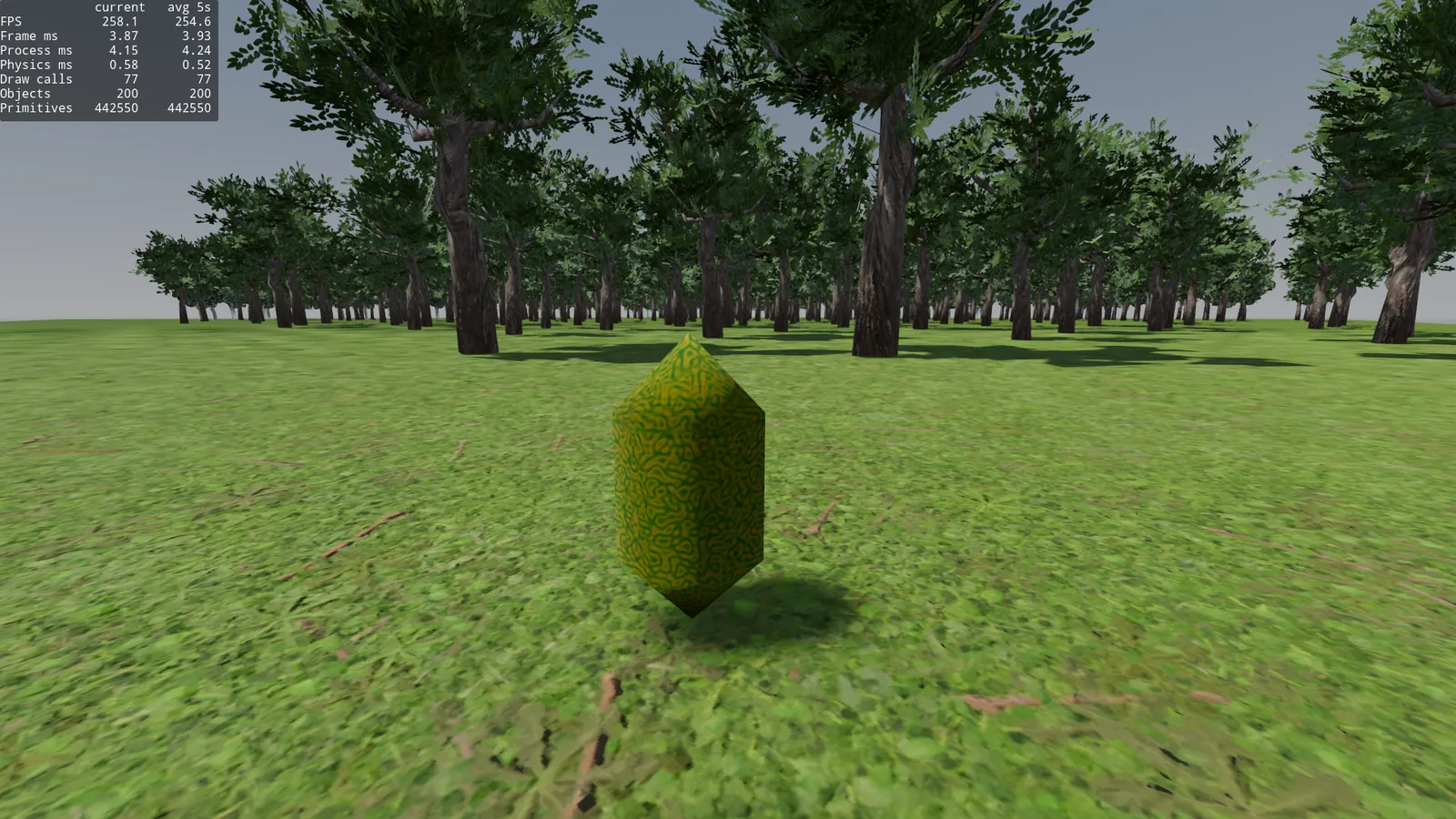
Visually, they’re a bit picasso-ish shadows, very triangular, this is because the transparency isn’t being applied before the shadow pass, the new shadow mesh has no material, so it’s casting the shadow of the complete geometry.
In terms of performance:
Frame time 3.93ms (first sub 4.0ms with shadows), 77 draw calls and 442k primitives, there are a lot of extra draw calls because it’s casting in all the chunks, but really we don’t see the far away chunks.
For a flight/planes game, it’s a good cheap solution.
From far away you can’t tell that the shadows were made by picasso on drugs.
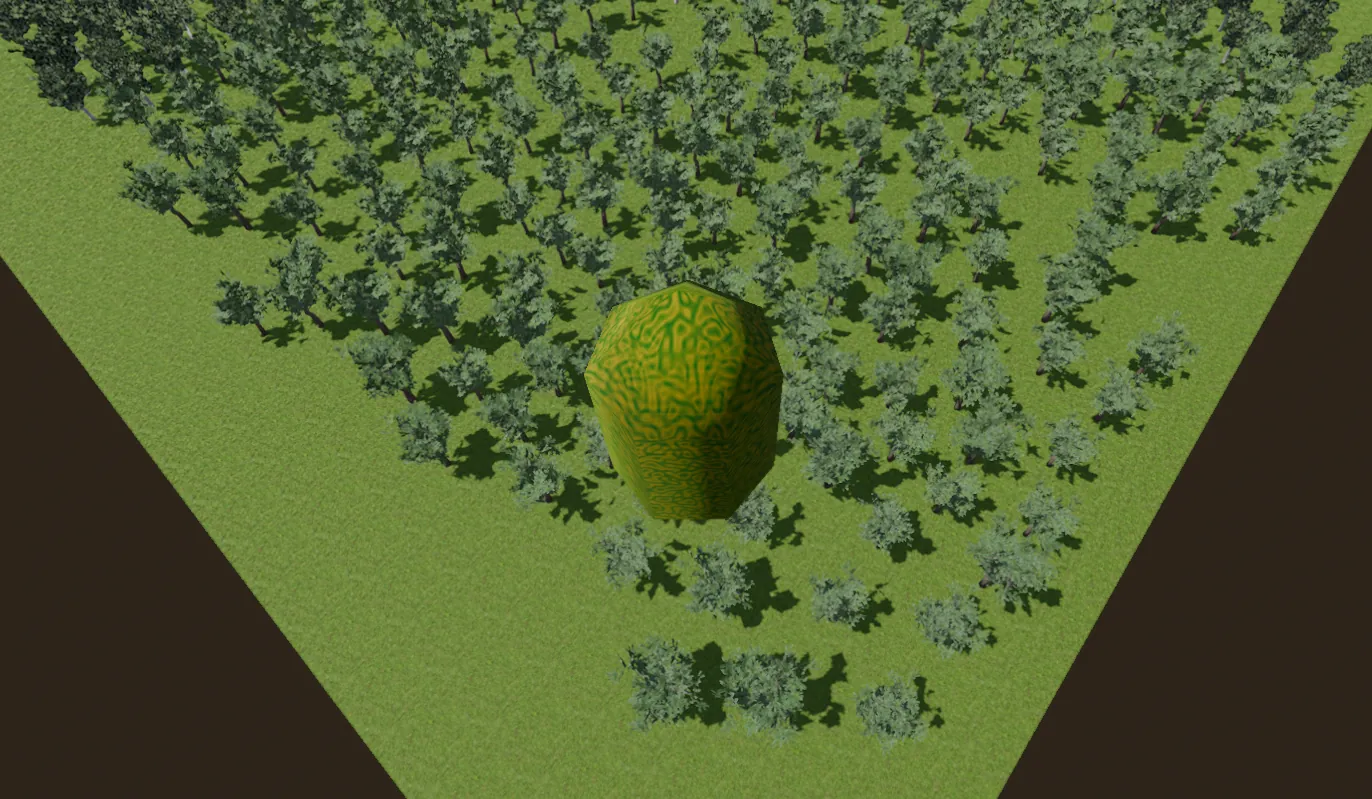
There’s one thing that got fixed, the shadows no longer pop-in when we change chunks, they’re always there, it looks cleaner, but they look less defined. Let’s see how to fix this.
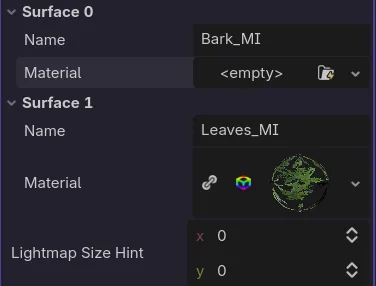
Back to Blender, and to the shadow impostor I apply the Leaves material only to the leaves, the bark I leave with a default material. And we test in Godot. This way, despite being shadow only, it will apply the alpha pass (scissor) to the leaves, and the shadows will be cast in the shape of leaves, but with much less geometry.
Result with shadows at 500 meters and PSSM4.
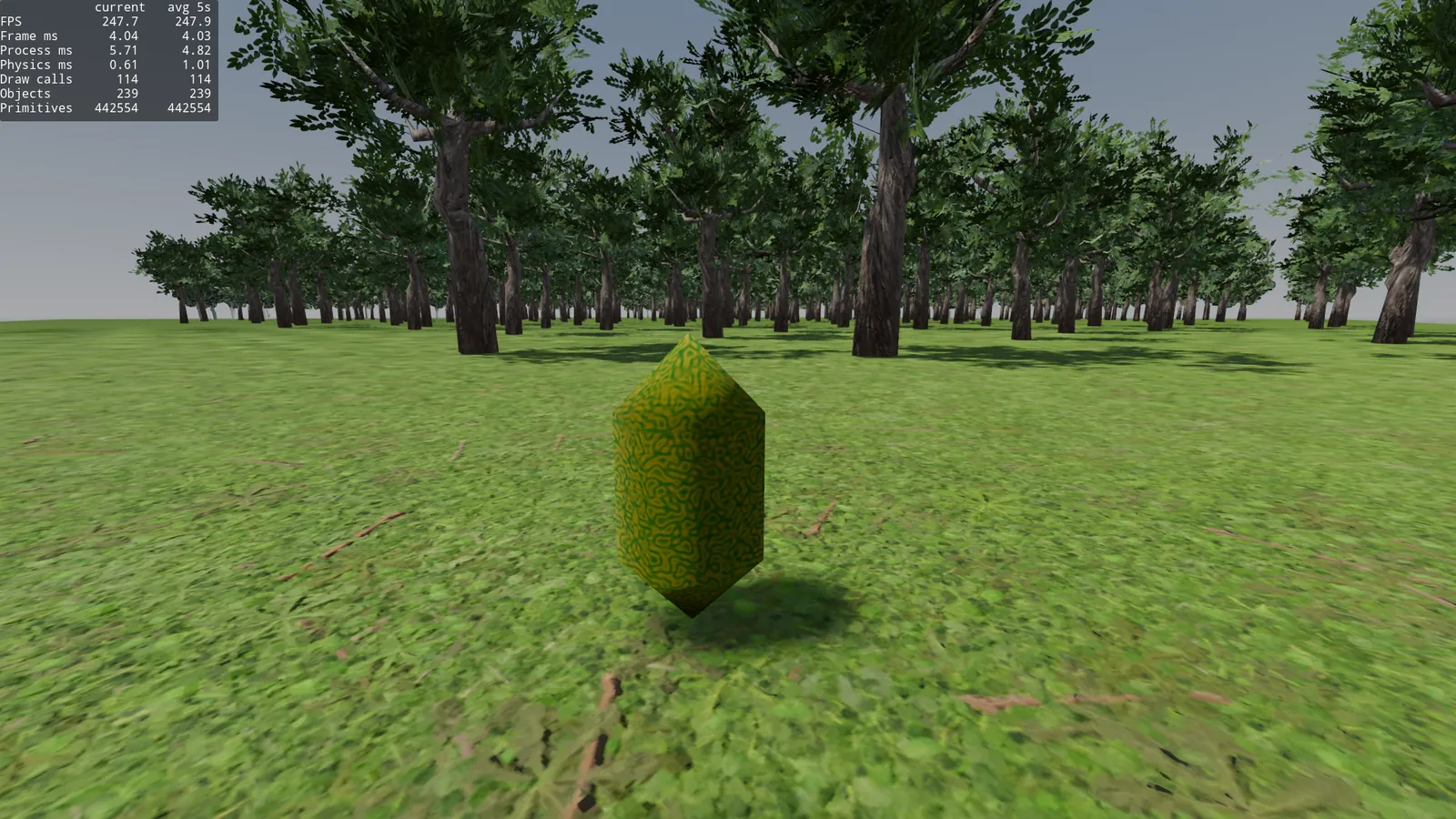
Frame time: 4.03ms, 114 draw calls and 442k primitives
Result with shadows at 500 meters and Orthogonal shadows.
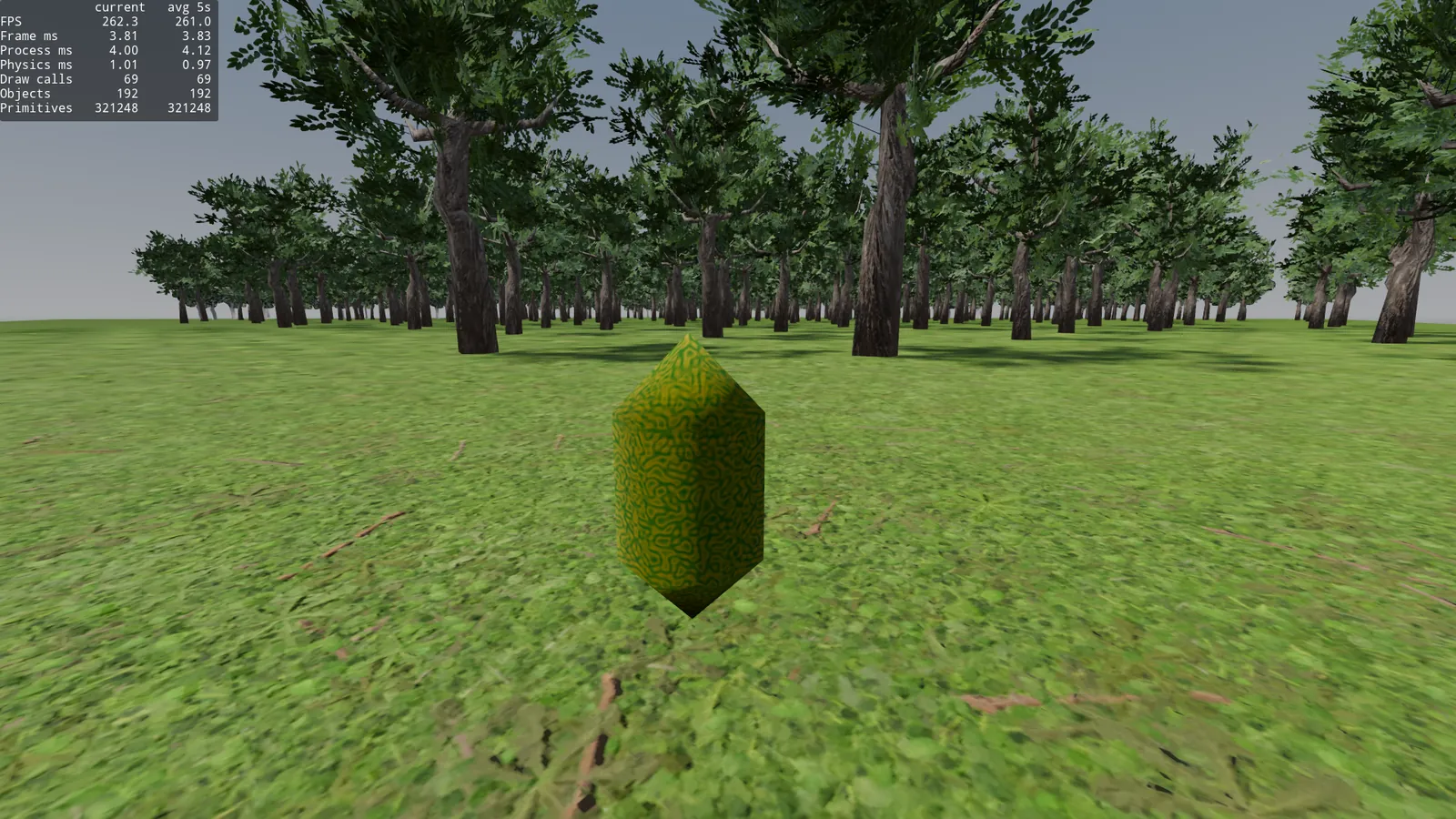
Frame time: 3.83ms, 69 draw calls and 321k primitives.
The quality difference is noticeable, but since we don’t see the shadows at 500 meters, lowering it to 200 meters to avoid the shadow pop-in when changing chunks, it looks like this:
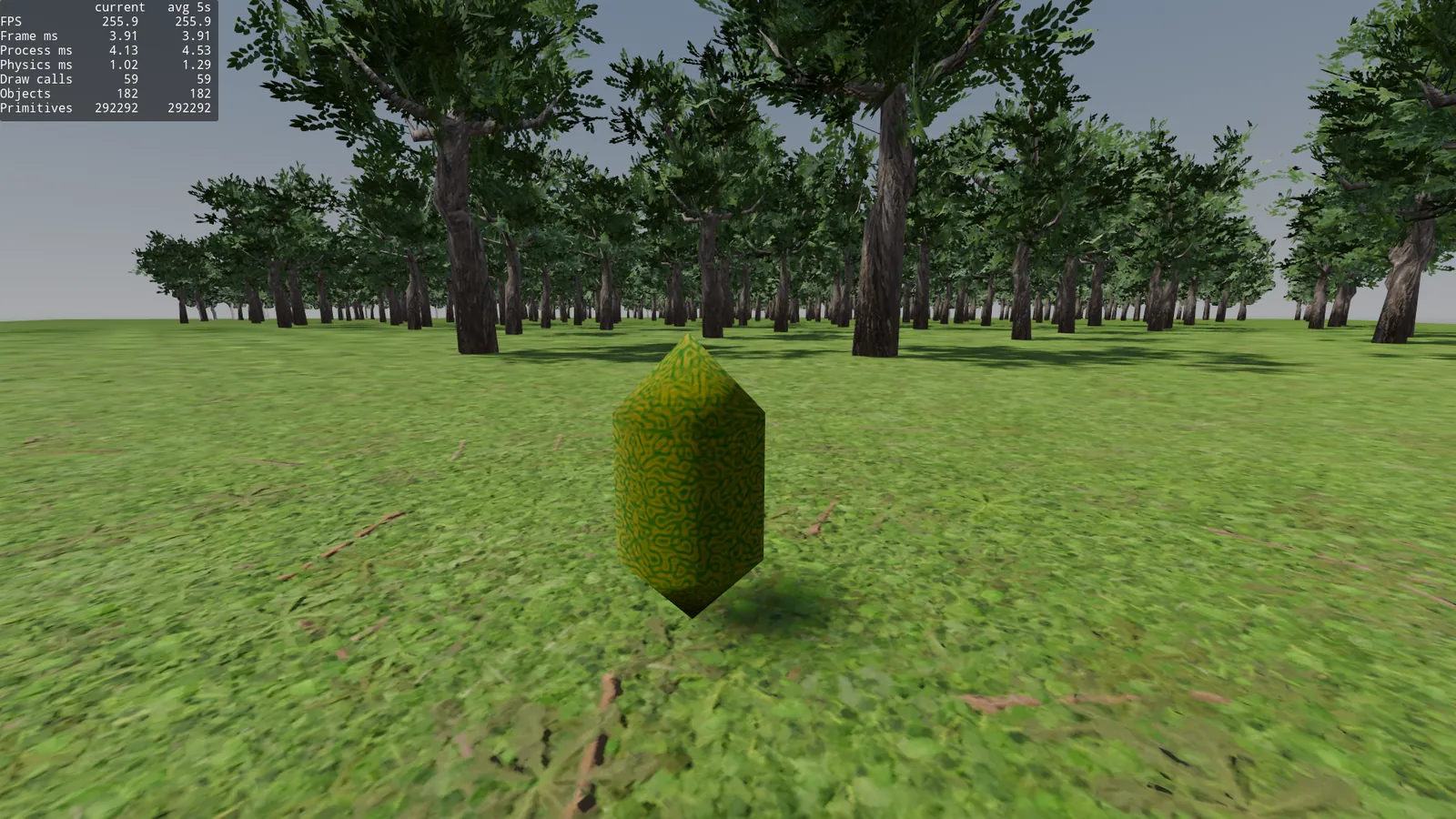
Frame time: 3.91ms, 59 draw calls and 292k primitives.
One of the best results so far, with a quality similar to the first image of the post with shadows.
Occlusion culling
Recalling the explanation of the depth-pre pass, the next logical step is to think: Why am I painting trees that aren’t visible?
Occlusion culling lets us do precisely this, if there’s an object that’s not going to paint pixels on screen, I don’t even bother with it.
But for that, I have to create a mesh that defines the simplified shape of my tree, we can reuse the simplified -colonly.
Let’s enable in Project Settings: use_occlusion_culling.
Just by enabling this, without touching anything else, we went from 3.91ms to 8.02ms of frame time.
Does occlusion culling work with MultiMeshInstance3D? Not directly, but since we have the Trees node, with the 400 trees in their own scene and their normal MeshInstance3D, we can bake them into an .occ file.
I create an OccluderInstance3D and bake the trees.
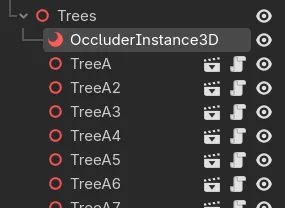
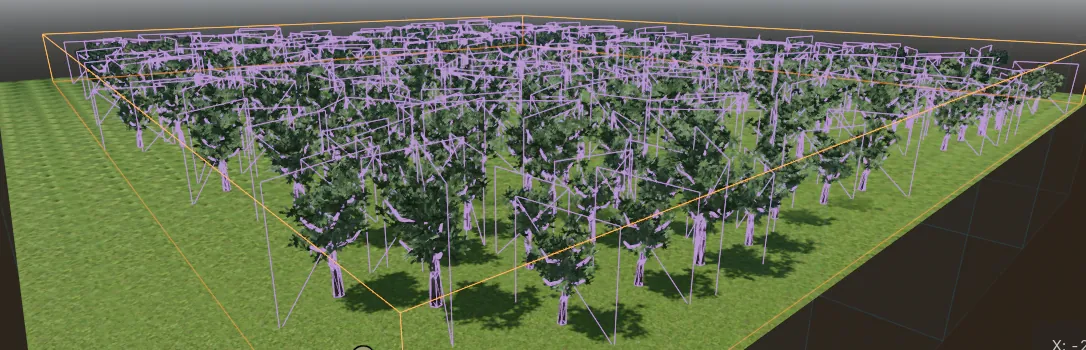
Done, I occlude individual trees and we test.
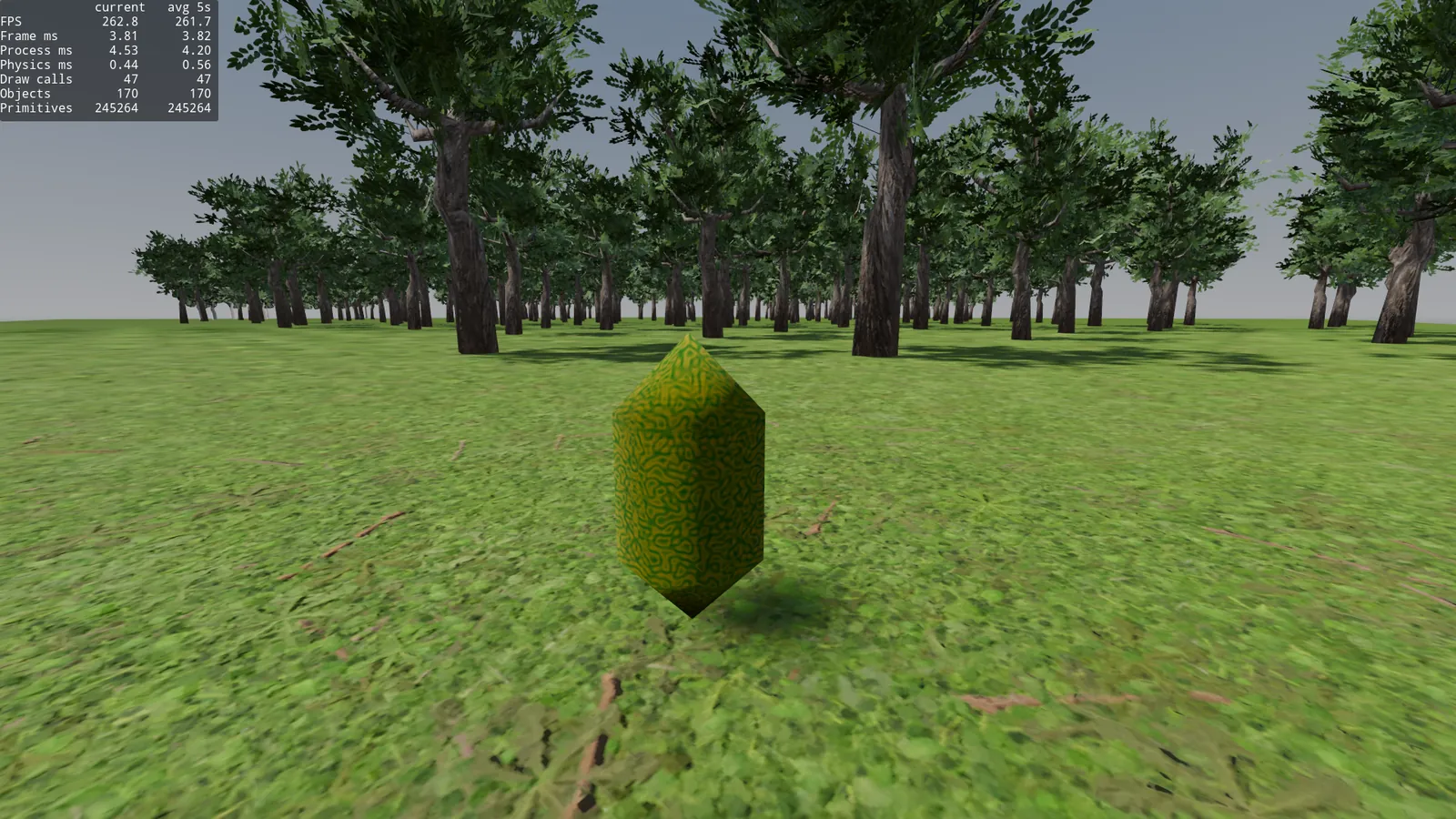
Frame time: 3.82ms, 47 draw calls and 245k primitives.
We gain ~0.1ms -12 draw calls and -47k primitives. Seems like a good optimization. It’ll scale more and better with the following tests.
Error: reviewing this, I did the occlusion bake wrong, I didn’t hide the impostor quadmesh, that’s why they show up in the occluder. That’s why in the photo not all the chunks come out right and the results aren’t valid, I’m leaving it so I don’t have to redo this test again. My bad.
Part 2: serious tests
Why does all this seem like it doesn’t work as well as it should? For Godot with forward+, 400 trees is nothing, it already groups them very well. All the optimization we’ve done so far was unnecessary for this scene. But it served us to see more or less how we can scale things well.
To measure this properly, we have to make the forest bigger, optimizing a 500x500m world this much is like putting a car engine on a washing-machine.
10,000 trees
Let’s create a slightly bigger forest and measure results.
I start a new scene, same setup, I drop the single MultiMeshInstance for the 400 trees. I leave the chunks at 125 meters, and create a plane of 2500x2500 meters, and with a script, I’m going to place 10 thousand tree_autolod.tscn nodes. This scene is our first tree, with native AutoLOD and no previous optimization, to have a baseline.

10k loose trees.
From now on, alias necessary for pkill -9 godot.
Let’s take a test of this forest, now truly dense, and test what we’ve learned so far.
Note: throughout this whole test, I’m going to be on Ortho shadows and 200 meters. Since I’ve seen it works/looks well enough.
AutoLOD
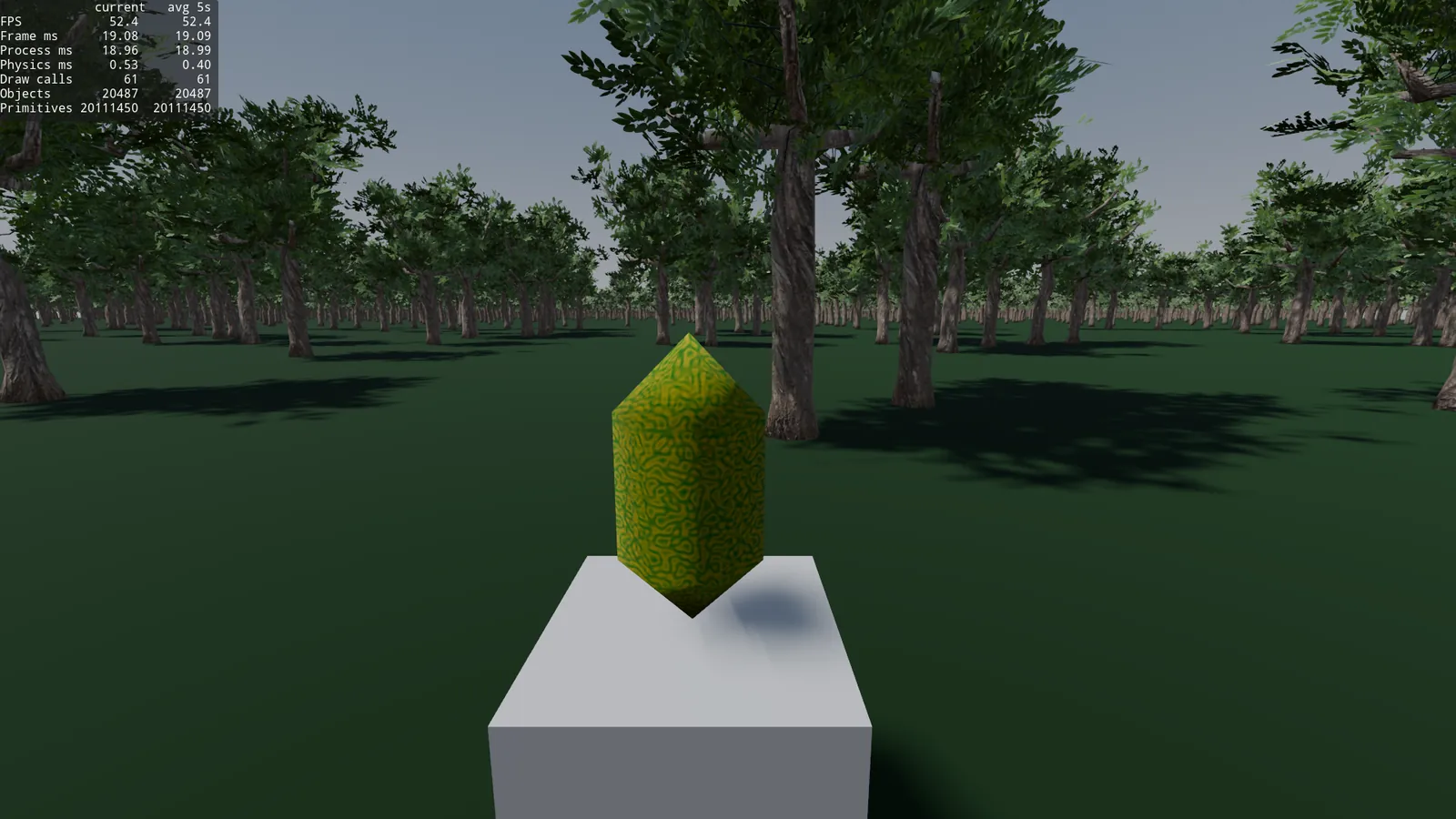
Frame time: 19.09ms, 61 draw calls, and 20.1 million primitives.
Okay, okay, this now really does seem to need an optimization. 19.09ms is not even 60fps and we have 20.3k objects, it’s a bit crazy. Let’s skip the whole learning process from before and directly throw in the HLOD, individual nodes, but with the LOD we made by hand in Blender.
HLOD
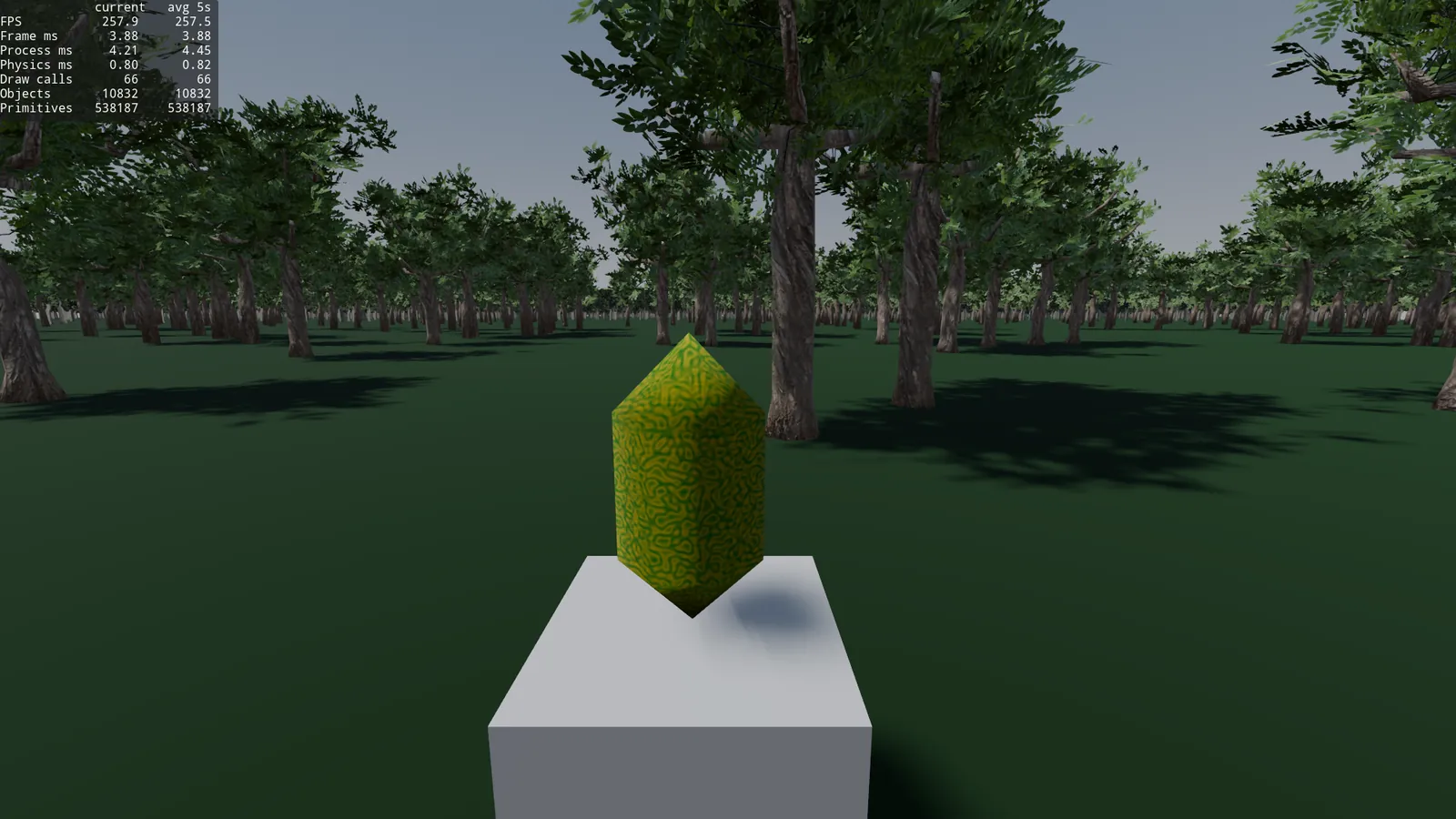
Frame time: 3.88ms, 66 draw calls and 538k primitives.
This does count as an optimization. The trunks of the background impostors look a bit lighter than the front ones, but that could be optimized by improving the octahedral impostor quality. I’ll spare myself the subtraction. We keep optimizing, I add the chunks.
Chunks + Shadow impostor
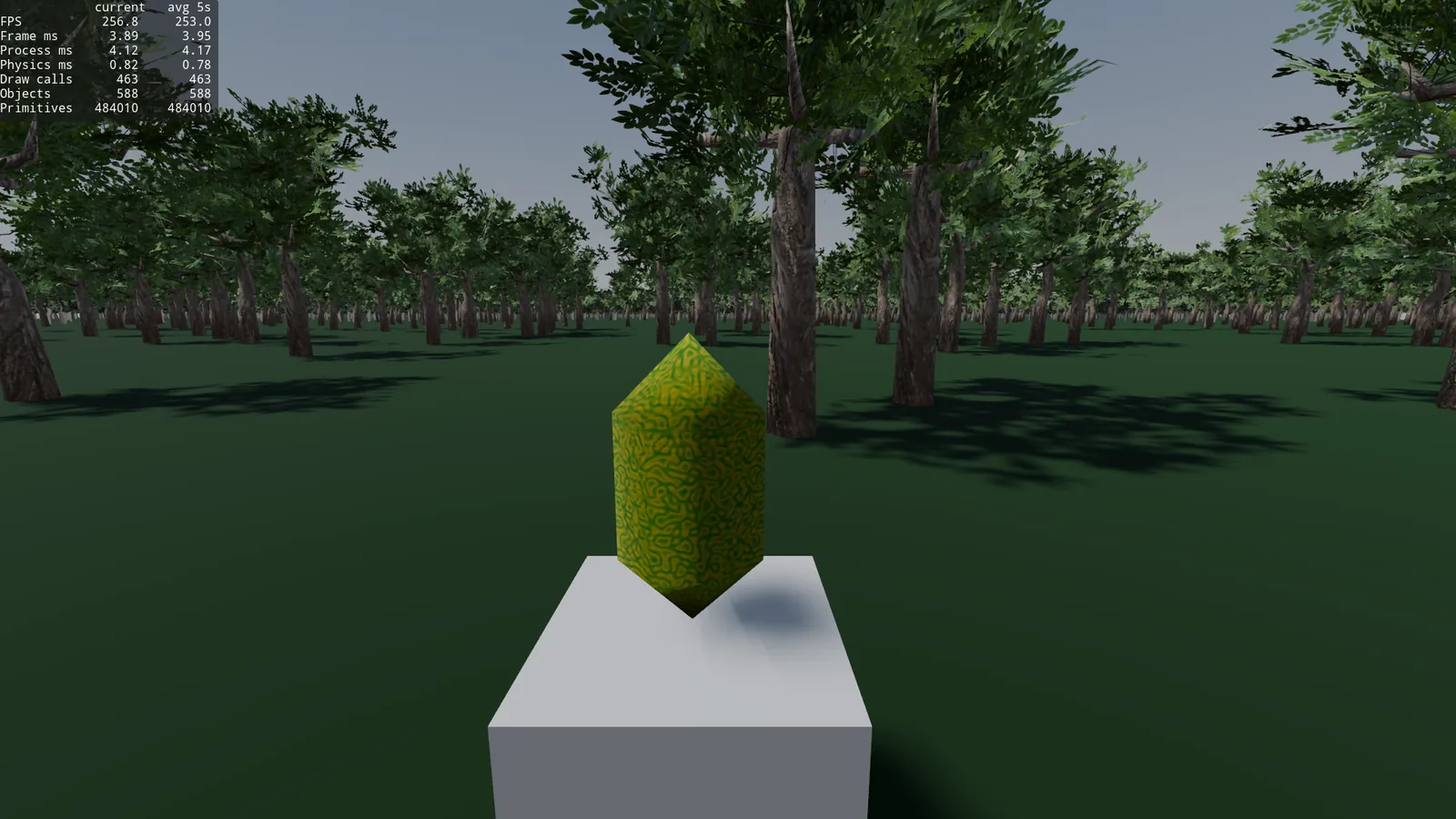
Frame time: 3.95ms, 463 draw calls and 484k primitives.
We lower primitives, we raise a ton of draw calls.
A pause here, why 463 draw calls? It’s a lot.
A MultiMesh is 1 draw call per surface and per pass, it doesn’t matter whether it has 17 trees or 5000 inside. With loose nodes, forward+ joined all the identical trees into a single batch (hence the 66). But when adding chunks, each one has its own duplicated MultiMesh, so Godot can no longer merge them: each chunk goes on its own.
And it multiplies fast: 400 chunks, the tree has 2 materials (x2 draw calls), the shadow proxy casts in all the chunks within the 200m shadow, and the counter adds up all the passes (depth + opaque + shadow). Total, 463.
The important thing: primitives drop (the far away chunks only paint the impostor) but draw calls go up. On my GPU this doesn’t matter, 3.88 or 3.95ms is noise. But on a phone it would be another story.
Now let’s add occlusion.
Note: Earlier I forgot that you have to hide the LOD3/impostor before baking the occlusion, to remove that flat mesh.
Occlusion
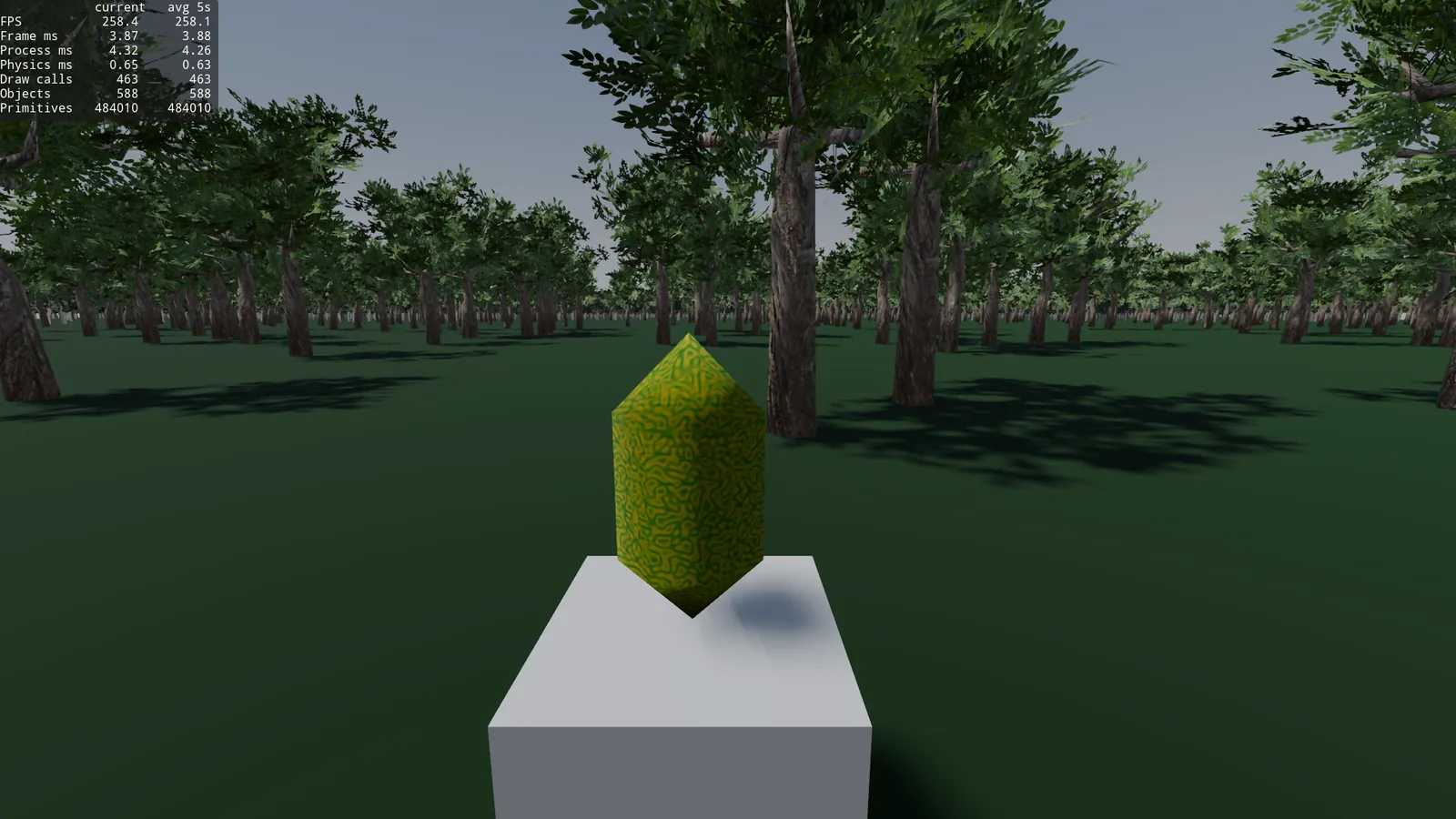
Frame time: 3.88ms, 463 draw calls and 484k primitives.
Practically the same as without occlusion. In this case it doesn’t work that well because I assume that there isn’t a single tree that covers the whole AABB of a chunk. Occlusion works better in enclosed places. In this test it doesn’t make a difference.
Another test, as I mentioned before, there are 463 draw calls because it’s drawing very far away chunks. Since the world is flat, no mountains, I can’t go up to see far away trees, and at 1km on flat ground I’m not going to tell the difference between a tree and a stormtrooper driving an RV.
I’m going to remove the shadow impostors beyond 500 meters, and the whole chunks beyond 1000 meters.
Visibility End at 500 for MultiMesh_SP and Visibility End at 1000 for MultiMesh_LOD3.
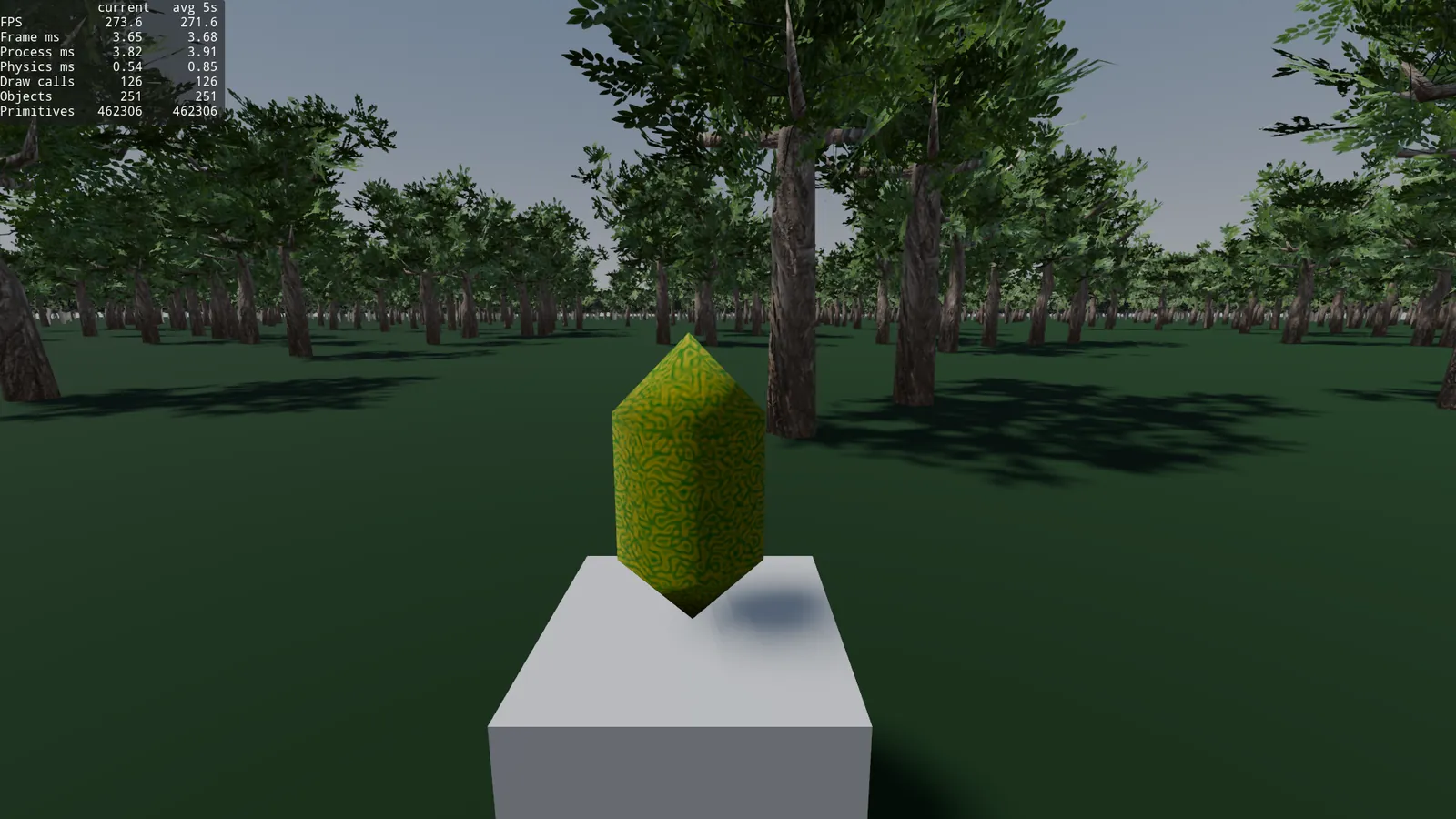
Frame time: 3.68, draw calls 126, and 462k primitives.
It’s a clear improvement, we get rid of more than 300 draw calls but we lose some trees in the background, but nothing a bit of fog can’t disguise.
Okay, now all the optimizations we’ve done make sense, we’ve gone from optimizing 400 trees to gain 0.3ms of frame time to optimizing 10k trees to go from almost 20ms to ~3.7ms. And turning an unplayable scene into a huge playable forest.
Note: To have this absurd amount of trees at once, without doing streaming, I had to raise Jolt’s body limit.
I think we’ve reached a good point and learned enough to apply these optimizations to other parts of a game.
It could be lowered a bit more by putting the bark and the leaves into a single atlas and adjusting UVs, we halve the draw calls with a single material. But we lose reusability of these textures, depends on the project.
And 10k trees are a lot of trees.
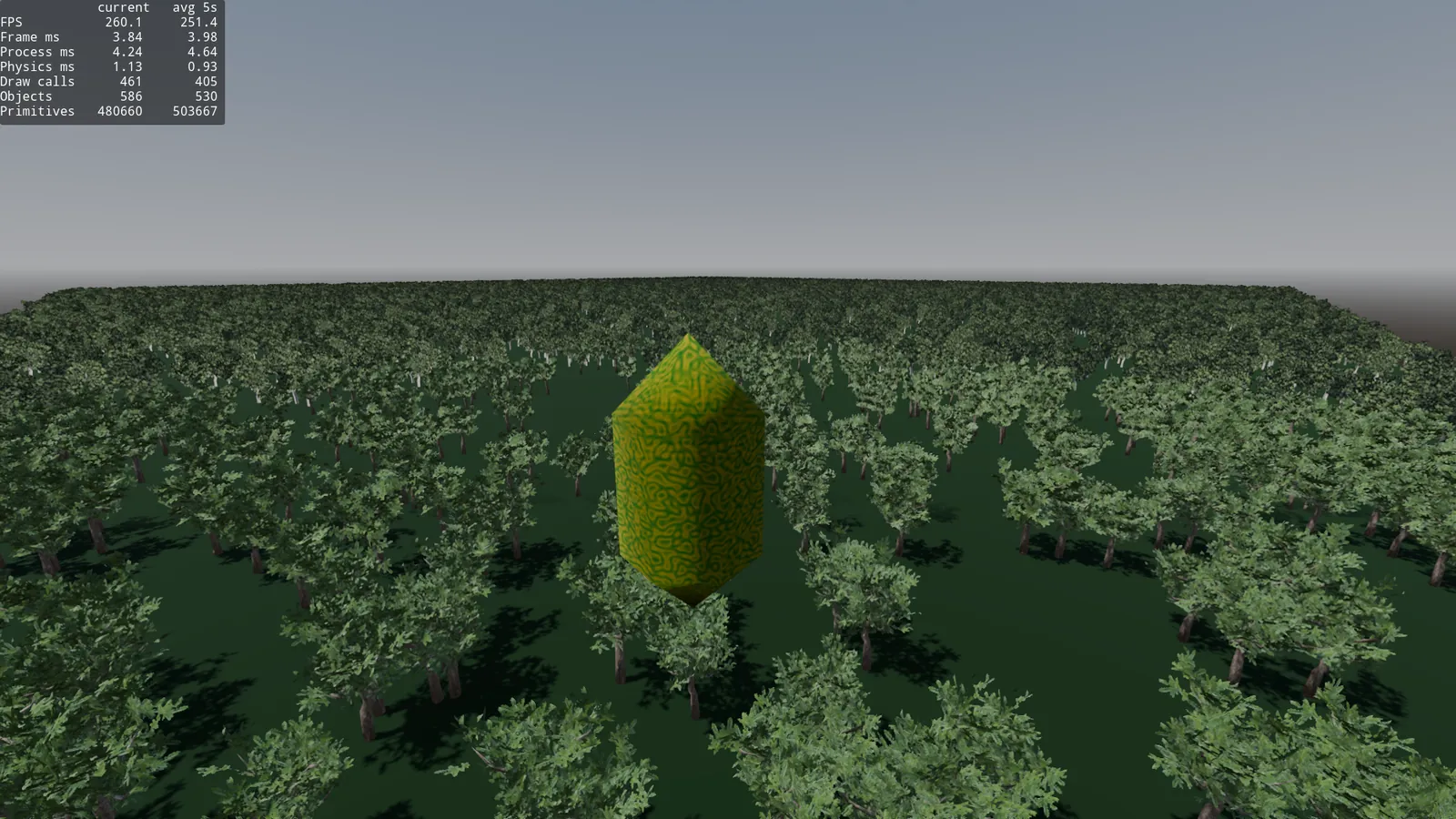
Conclusion
An important lesson I’ve learned doing all these tests.
Godot already batches small scenes wonderfully. Optimizing 400 trees to gain 0.2ms is a bit of a waste of time. All this work only makes sense at a large scale, as we’ve seen, with 10k trees, it does make sense. Going from 19ms, which is unplayable, to 3.8ms, same results as with 400 trees.
Ordering the techniques by usefulness of time invested versus the frame time return for the forest case:
- HLOD with hand made LODs + octahedral impostor. Takes very little time in Blender and gives good results.
- Shadow impostors, they’re almost free distant shadows, especially for complex geometries, it’s a big win.
- Per chunk collisions, physics that scale without measuring distance to each object.
- Occlusion culling, in this case, a bit unnecessary, in interiors and other types of scenes, it’s brutal.
Moral: always measure before trying to optimize. The profiler is your friend. It all depends a lot on each scene, game, and needs. There’s no magic solution that works for everything. If this had been about placing rocks on a mountain or books in a library, it would have been different.
Pending things
This has been a test of render, physics, and asset optimization. But there’s an important part missing with those 10k trees: asset streaming. The next logical step is to instance and free chunks based on distance and other criteria. Having so many trees at once so far away makes no sense. But we’ve seen that even so, you can optimize.
Maybe in the near future I’ll try to write a post about streaming, this one took me more than 5 days of writing and testing.
Summary tables
400 trees: Native AutoLOD (threshold_pixels tests)
| Config | Frame time | Primitives | Draw calls | Notes |
|---|---|---|---|---|
| No shadows (base) | 3.80 ms | 942.8k | 12 | Reference without shadows |
threshold 1.0 | 4.44 ms | 1008.4k | 32 | Orthogonal shadows |
threshold 4.0 | 4.48 ms | 1007.3k | 33 | No visual difference |
threshold 8.0 | 4.08 ms | 652.9k | 33 | Background stripped of leaves |
threshold 16.0 | 3.80 ms | 409.9k | 37 | Half the trees without leaves |
400 trees: Technique comparison (Orthogonal shadows)
| Technique | Frame time | Primitives | Draw calls | Notes |
|---|---|---|---|---|
| HLOD (static billboard) | 4.09 ms | 379.0k | 44 | Quality ≈ AutoLOD 1.0 |
| HLOD (octahedral impostor) | ≈ same | ≈ same | ≈ same | No noticeable difference vs billboard |
| Single MultiMesh (forced LOD0) | 5.62 ms | ~1.88M | 14 | Worse: draws everything + shadows |
| Chunks 100×100 (25 chunks) | 4.14 ms | 387k | 66 | Too many draw calls |
| Chunks 125×125 (16 chunks) | 4.17 ms | 401k | 47 | Best middle ground |
| Chunks 250×250 (4 chunks) | 4.26 ms | 535k | 21 | Wrong LOD (far away center) |
400 trees: Shadow sweep (chunks 125, cast_shadow ON on all)
| Type | Distance | Frame time | Primitives | Draw calls | Render Shadows | Quality |
|---|---|---|---|---|---|---|
| PSSM 4 Splits | 100 m | 4.55 ms | 643k | 62 | ~0.50 ms | Good |
| PSSM 4 Splits | 50 m | 4.43 ms | 522k | 57 | ~0.37 ms | Shadows only very close |
| PSSM 2 Splits | 100 m | 4.47 ms | 441k | 50 | ~0.36 ms | Good |
| PSSM 2 Splits | 50 m | 4.35 ms | 399k | 49 | ~0.26 ms | Shadows only very close |
| Orthogonal | 100 m | 4.17 ms | 401k | 47 | ~0.46 ms | Worse than PSSM |
| Orthogonal | 50 m | 4.13 ms | 359k | 43 | ~0.39 ms | Bad |
400 trees: Shadow and impostor optimization
| Step | Shadows | Frame time | Primitives | Draw calls | Render Shadows | Notes |
|---|---|---|---|---|---|---|
cast_shadow OFF on LOD1/2/3 | Ortho 100 m | 4.09 ms | 280k | 39 | ~0.14 ms | Same visually + shadow pop-in on LOD change |
| Shadow impostor (no material) | Ortho 500 m | 3.93 ms | 442k | 77 | … | “Picasso-ish” shadows (no alpha) |
| Shadow impostor (with material) | PSSM4 500 m | 4.03 ms | 442k | 114 | … | Leaf shaped shadows |
| Shadow impostor (with material) | Ortho 500 m | 3.83 ms | 321k | 69 | … | Good quality |
| Shadow impostor (with material) | Ortho 200 m | 3.91 ms | 292k | 59 | … | Best spot in the post |
| + Occlusion culling | Ortho 200 m | 3.82 ms | 245k | 47 | … | -47k primitives, -12 draw calls |
10,000 trees: The serious test (Orthogonal shadows 200 m)
| Technique | Frame time | Primitives | Draw calls | Notes |
|---|---|---|---|---|
| Native AutoLOD | 19.09 ms | 20.1M | 61 | Unplayable (base) |
| HLOD (manual LOD + octahedral) | 3.88 ms | 538k | 66 | Giant leap (-95% primitives) |
| + Chunks | 3.95 ms | 484k | 463 | - primitives, + draw calls |
| + Occlusion culling | 3.88 ms | 484k | 463 | No noticeable effect |
| + Visibility range | 3.68ms | 462k | 126 | Trees lost in the background |